EtherPK For Software Engineers - Capture Tasks Fast and Hand Them to Your Coding Agent
Most days I have a coding agent in one window and my notes in another. Tasks come up while I'm busy with something else, and I want them written down before I lose them. Later I want to hand one to an agent with everything I wrote about it, without copying the context across by hand. EtherPK is the markdown notes app I've been building, and this post is about the parts of it I use for software work.
Tasks are lines of markdown
A graph in EtherPK is a set of notes: a journal entry for each day, plus pages with names. A folder graph is a folder of plain markdown files on your disk, so it can live in a git repository and you can diff and review it like code. This blog is an EtherPK graph in the same repository as EtherPK's source, and so are the docs.
A task is a markdown checkbox line. The tags straight after the checkbox set its priority, state and dates, and a tag of your own such as #bug can go anywhere in the text:
[ ] #P1 #D-2026-11-20 Fix the retry loop in [Payments] #bug
[ ] #W Waiting on the staging keys from [Ops]
x Update the README
EtherPK keeps no other copy of a task. The Tasks view, the Kanban boards and any agent you connect all read and write that one line.
Getting tasks down fast
Alt+J opens today's journal entry from anywhere in the app, and most of my tasks start there, under whatever I was working on. Ctrl+Shift+Enter turns the line under the cursor into a task, and pressing it again ticks it. Type # after the checkbox and a menu offers the task tags, along with the free tags you've already used, so you pick the same spelling each time.
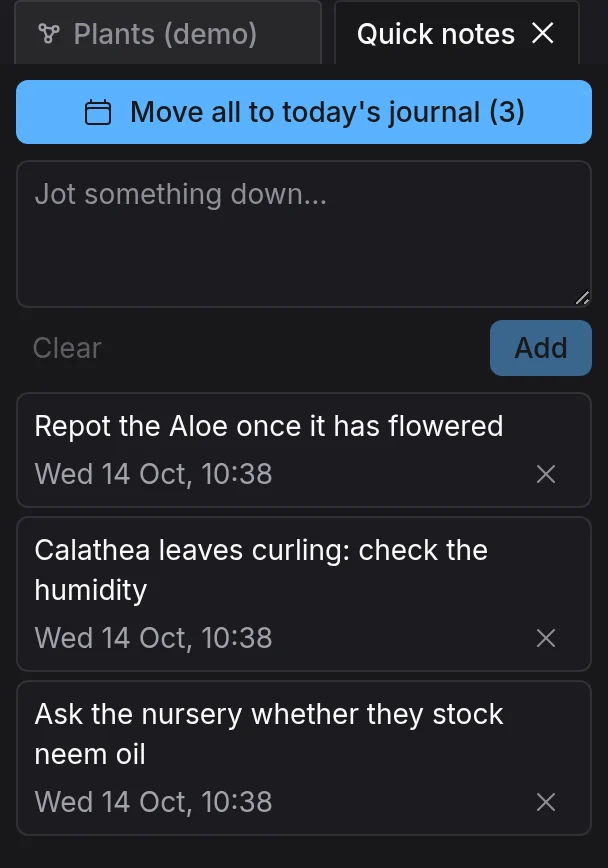
When I don't know where something belongs yet, Alt+N opens Quick notes with the cursor in the box. A quick note is a line you write without choosing a page, and Move all to today's journal files each one under the day you wrote it. With EtherPK installed from Chrome on Android, you can also share text from another app into Quick notes, with Add as task to make it a task.
The + on a Kanban lane writes a new task into today's journal, under a link to the board's page, so it's on the board at once and still in the journal for that day.
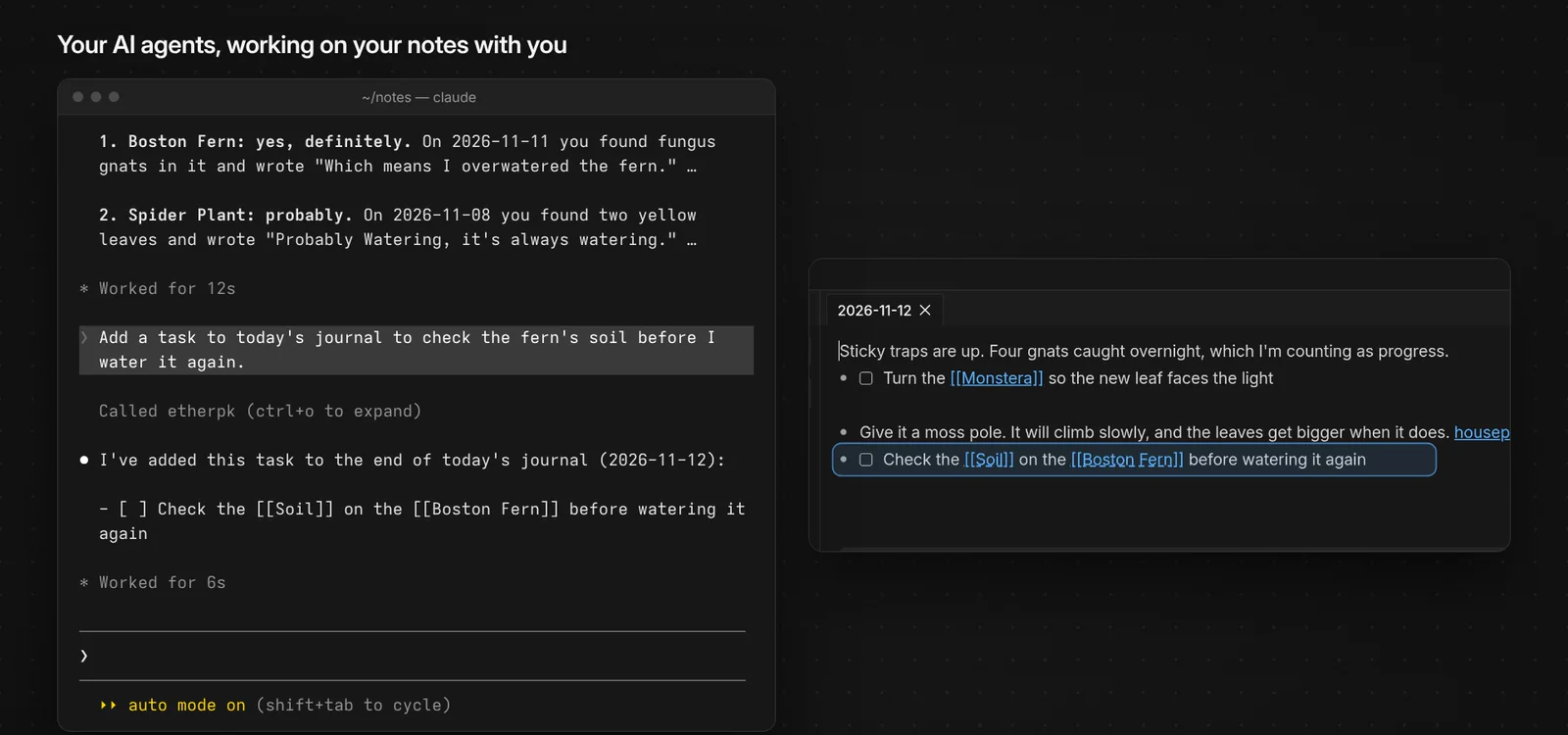
If I'm already in the terminal, I ask the agent. In the video in EtherPK - An Introduction I asked Claude Code to add a task to today's journal, and it appeared in the entry I had open in EtherPK without a reload.
Grouping work without setting anything up
A task belongs to every concept linked on its line or on a bullet or heading above it, and to the page it's written on. Here, in a journal entry:
Standup
[Payments]
[ ] #P1 Fix the retry loop #bug
[ ] #P2 Add a test for refunds
Both tasks are on the Payments board and in the Tasks view for Payments. Pages named within a concept count as well, so the tasks on [[Payments]] Webhooks turn up there too. I don't need folders or a separate tracker to keep the work for one codebase together.
Any concept can open as a Kanban board: right-click a document tab and choose Open Kanban Board. Graph Kanban in the sidebar shows every task in the graph. The lanes are Open, Doing, Waiting, Test, Done and Cancelled, each split into P1, P2, P3 and No priority, and dragging a card writes the change into the task's line, #D for Doing and #T for Test. Each lane has a filter that takes words and tags, so retry #bug narrows it to the matching cards.
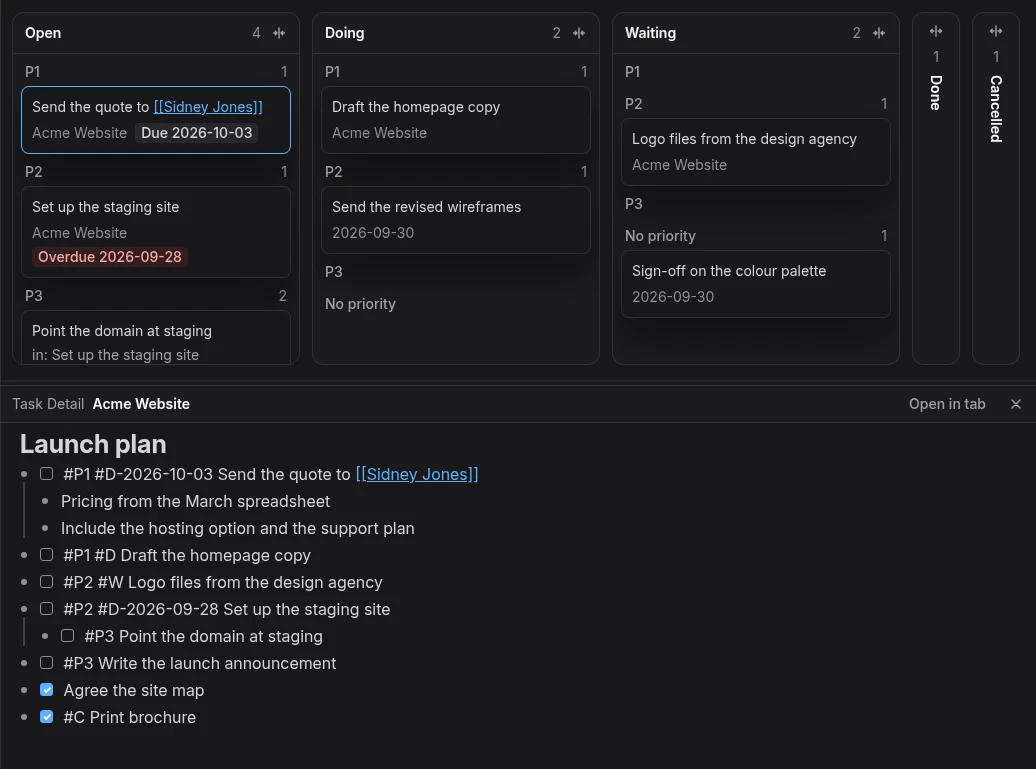
A task nested under another task is its subtask, and the parent's card counts them (1/3). The bullets under a task are its description, and a - Comments bullet under it holds its comments. The task editor shows those apart, with any pictures or files under Assets. The Tasks view (Alt+T) lists the same tasks across the graph, filtered by concept, status, priority, due date, text and tags.
Handing a task to an agent
Every card has a copy button for Copy agent instruction. Paste the text into Claude Code, Codex or Cursor and say what you want done. The text names the graph and the task, and tells the agent to read the task through the EtherPK MCP server. read_task returns it with its subtasks, comments and attached files. The agent can tick subtasks as it goes, change the task's status with set_task, and say what it did with add_task_note, which adds a comment under the task.
You can hand over a whole lane too. Right-click a lane's header and choose Copy agent instruction to have the agent work through everything in Doing, or triage Open. The agent lists the lane when it reads the instruction, so it gets the tasks that are there at that moment.
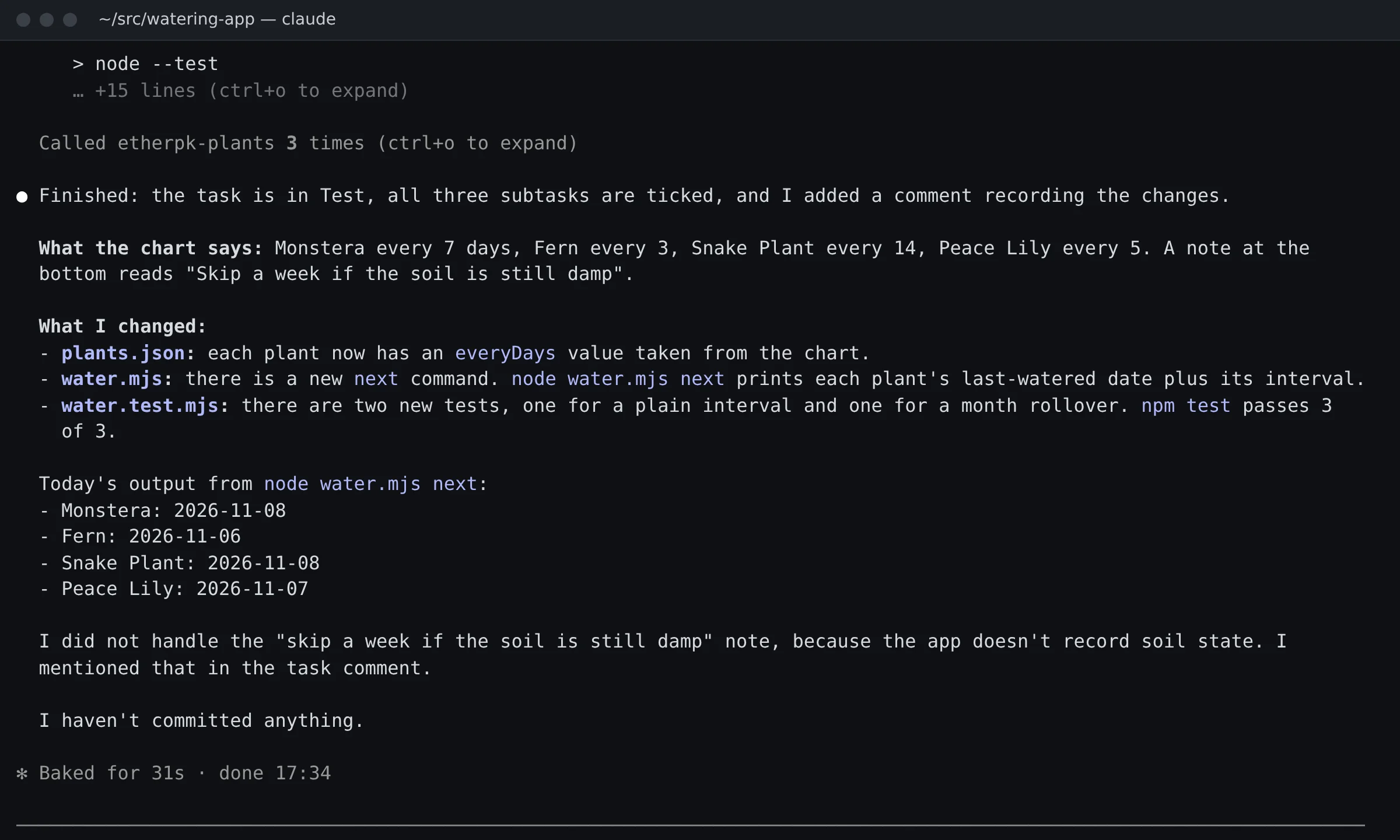
In Hand Your Markdown Tasks to Claude Code from a Kanban Board I followed one task all the way through. Claude Code read a photo of a hand-written chart attached to the task, wrote the code, ticked the subtasks, moved the card to Test once the tests passed and left a comment saying what it changed. The board updated without a reload.
Connecting an agent
On a folder graph the agent can open the folder like any other project. EtherPK keeps an AGENTS.md at the top of the folder, with a CLAUDE.md beside it for Claude Code, describing how the notes are written, so an agent writes tasks, links and frontmatter the way EtherPK reads them. If the graph sits inside a larger repository, add a line to that repository's own AGENTS.md pointing at it. The MCP server is optional on a folder graph. It needs no sign-in and adds search, backlinks and task tools:
claude mcp add --scope user etherpk-notes -- npx @appsoftwareltd/etherpk-mcp serve --folder /home/you/notes
A synced graph has no folder on your device, because your device encrypts the notes before they reach the Sync Server. The agent reaches it through the Headless Client, an npm package that signs in as one of your devices and runs the MCP server next to the agent. It needs Node.js 24 or later. The Agents tab in Settings writes the commands for you: one for Claude Code, one for Codex, and a JSON block for Cursor or VS Code. An optional step adds search by meaning, so the agent can find a note about flaky deploys when you ask about failing releases.
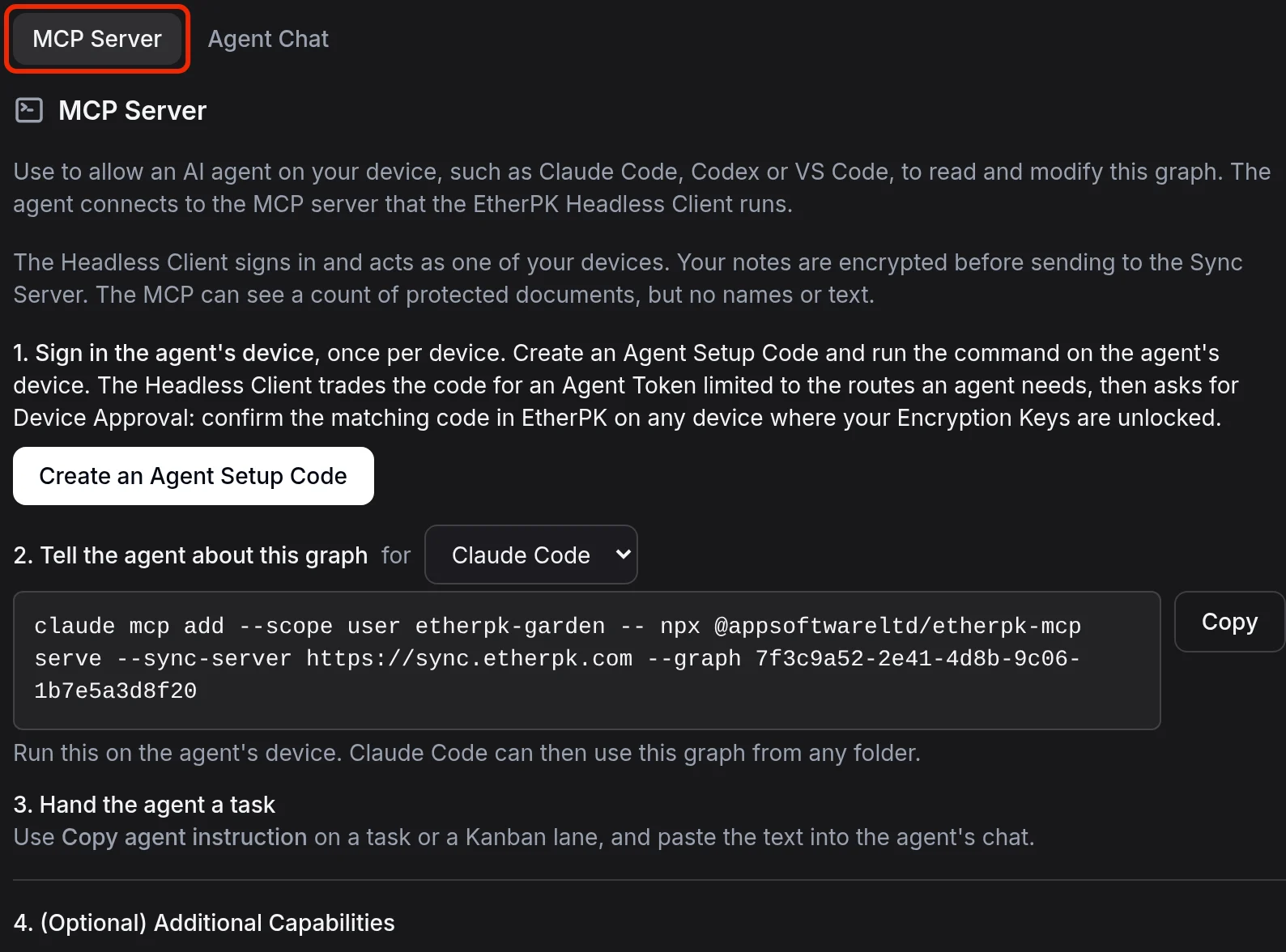
AI Agents in EtherPK - MCP Server and Agent Chat goes through the setup step by step.
Keeping agent edits in check
An agent changes a document by naming a piece of its text and the text to put in its place. Nothing else in the page changes, so on a synced graph the edit merges with whatever you're typing elsewhere in it. No tool replaces a whole page in one write, and no tool deletes a document. Protected documents don't exist as far as an agent can tell: they're missing from every list and search, and a write to one is refused.
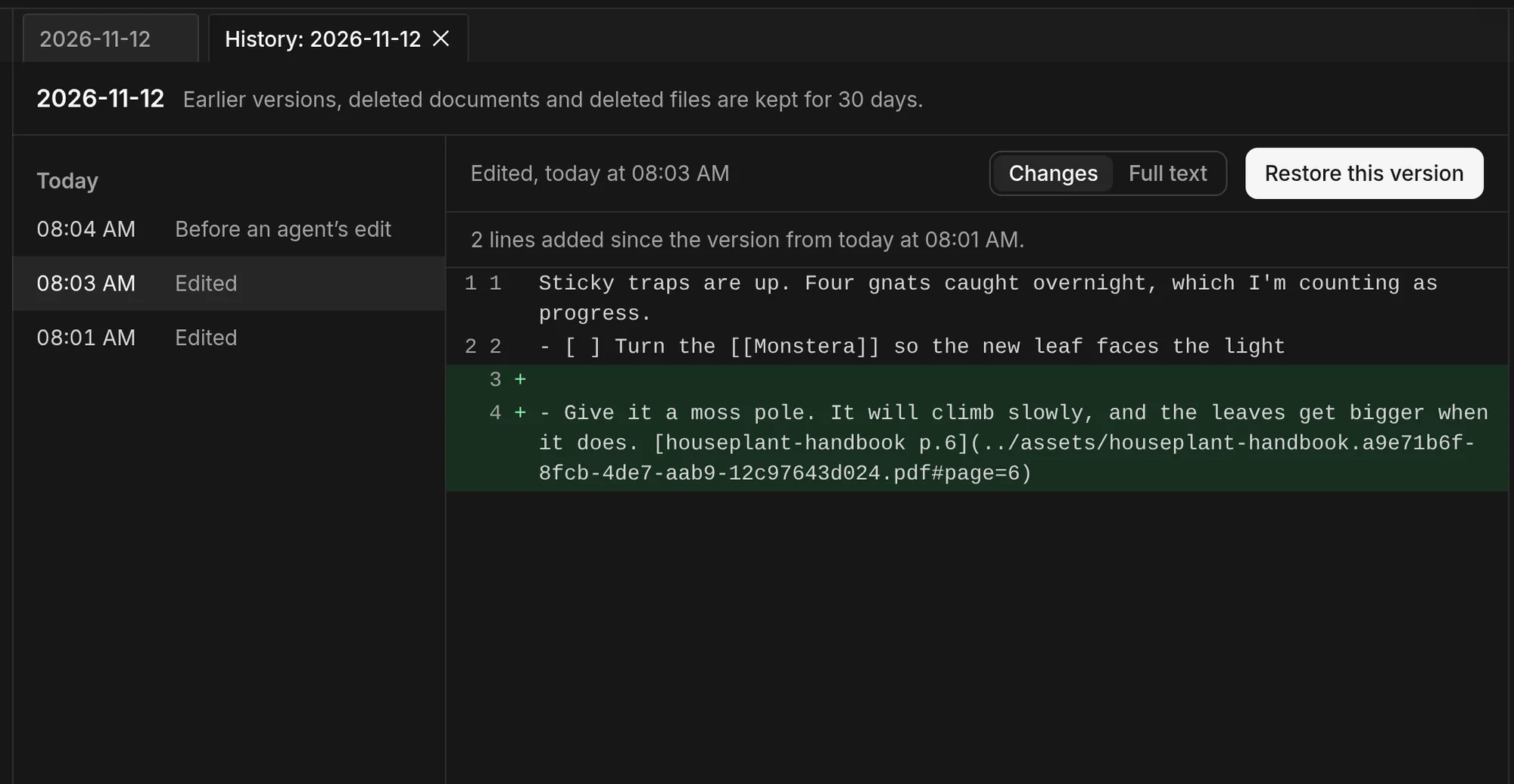
On a synced graph, an agent's first edit to a document in a session keeps a version of the document first, so if the edit isn't what you wanted, open Version history from the tab and restore the version from before it. Agents can read earlier versions but can't restore them. Deleted pages and files are kept for 30 days and can be restored too. On a folder graph, git does the same job. Version History For Your Synced Notes (Additional Safety for Working Alongside AI Agents) has the details.
The rest of a developer's notebook
Code blocks are highlighted for any language name you give them, a mermaid block draws a diagram and a math block is typeset as LaTeX. A file:/// link to a local path copies the path when you click it, since a browser can't open the file. You can draw in a note with Excalidraw, and publish public notes as a plain HTML site, to a folder or straight to a GitHub repository. This blog is published from its graph the same way.
Try it
The demo graph opens in your browser with no account, and has tasks, a Kanban board, the task editor and Quick notes to try. No agent can reach the demo, because it's kept inside the browser, so to connect one you need a folder graph (Chrome or Edge on a computer) or a synced graph with an EtherPK account. The docs on tasks, Kanban boards, Quick notes, keyboard shortcuts and using AI agents cover all of the above in full.