Hand Your Markdown Tasks to Claude Code from a Kanban Board
EtherPK (a markdown / wikilink based notes app) tasks are plain markdown, but the EtherPK client has built powerful functionality on top of markdown tasks, integrating a Kanban board and MCP server to allow you to manage your work in your notes and easily hand off with instruction and full task context to your AI Agent (e.g. Claude Code).
A task in is a markdown checkbox line in your notes, written in any document, wherever and whenever the task or idea comes up. If you nest it under another task and it becomes that task's subtask. A Kanban board shows those lines as cards and keeps no copy of them, so moving a card edits the line. The task editor is a form over the same text, so a picture, a comment or a subtask you add there ends up as text in the note.
An agent instruction is a few lines of text you paste into a coding agent. They name a task and say how to reach your notes. From there the agent can read the task with its subtasks, pictures and comments, tick subtasks, move the task and add a comment. The note, the board, the task editor and the agent all edit one piece of text, and there's no second system to keep in step.
I'll follow one task from a note, through the board and the task editor, to Claude Code and back. It's a real run on a small demo project. Nothing Claude Code printed was written by hand, and the animation plays the terminal part at about five times speed.
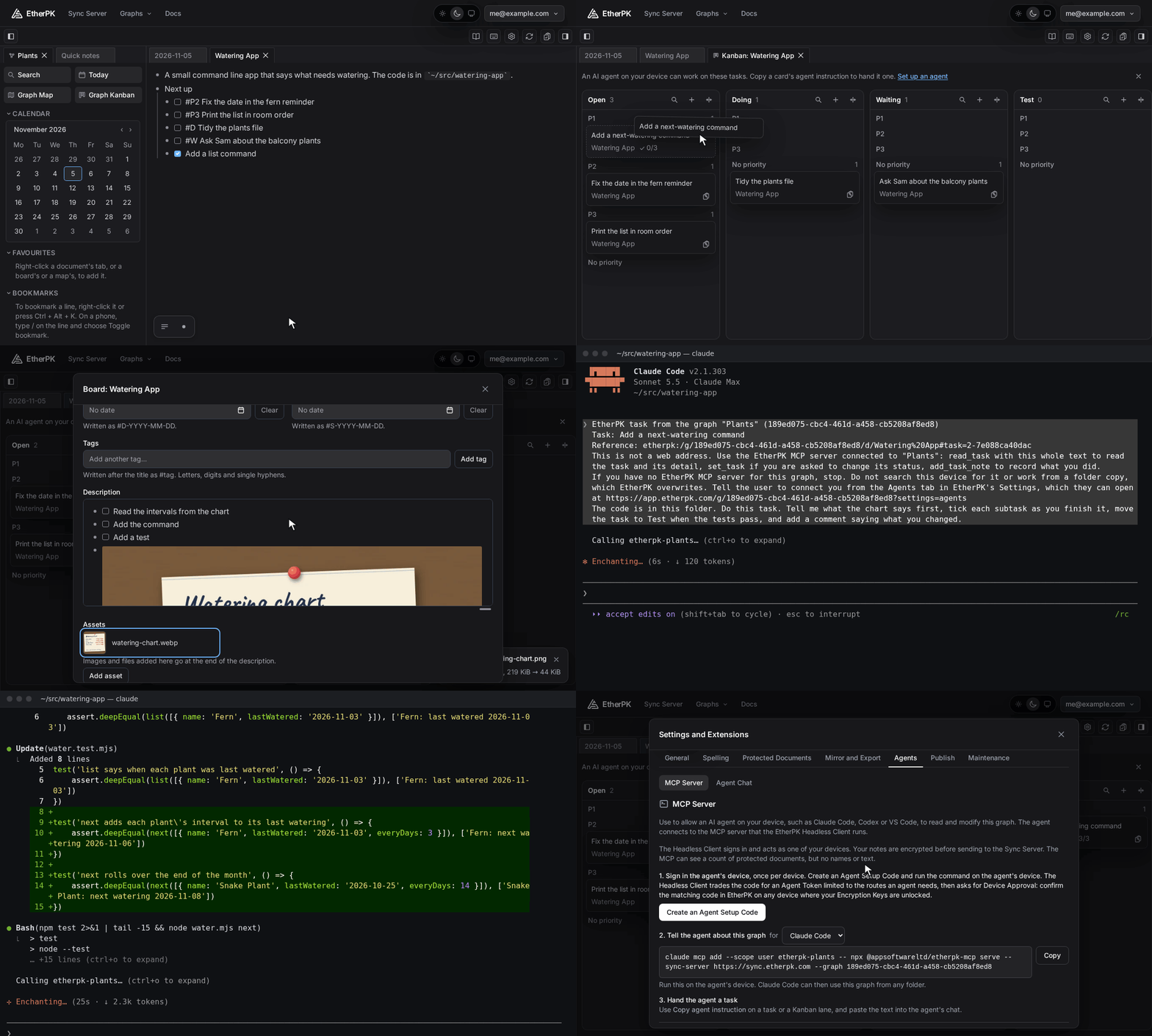
Tasks in a note
A task is a bullet with a checkbox, - [ ] unticked and - [x] ticked.
A graph is one set of notes in EtherPK: journal entries and titled pages in plain markdown, linked by wikilinks. Mine is called Plants, and on its Watering App page I typed a new task with three more nested under it.
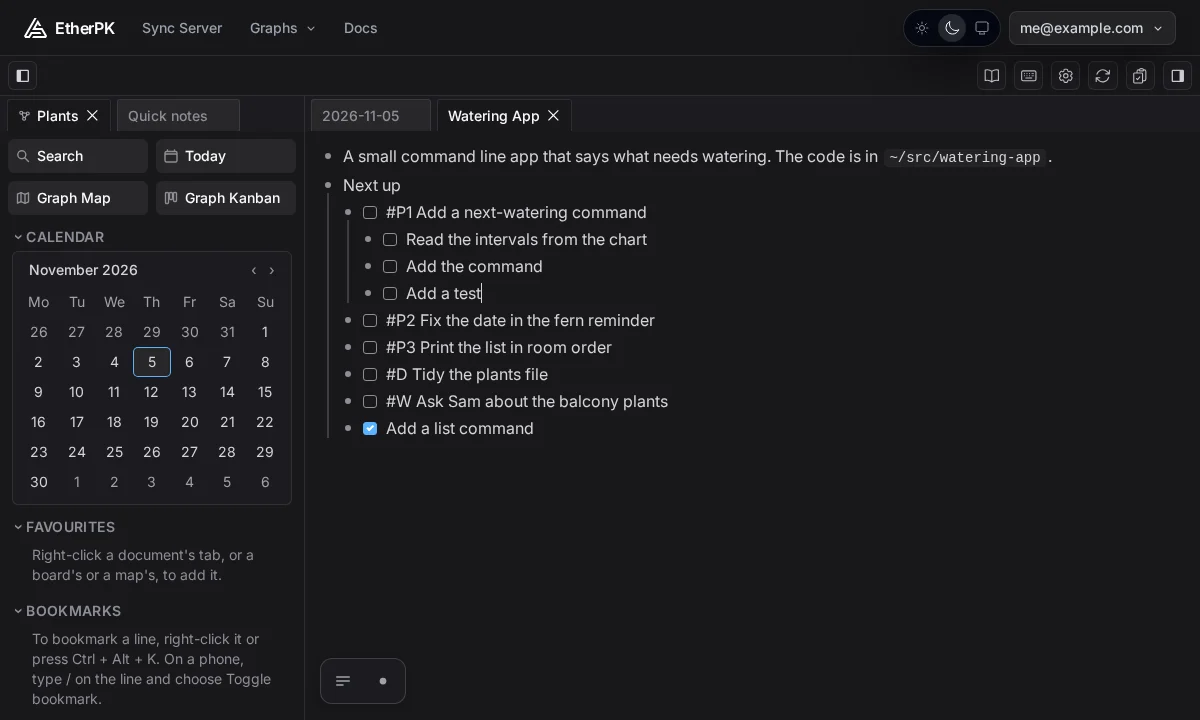
In markdown, those lines are:
[ ] #P1 Add a next-watering command
[ ] Read the intervals from the chart
[ ] Add the command
[ ] Add a test
The first line is the parent of the other three. The tags #P1, #P2 and #P3 go straight after the checkbox and set the priority, with #P1 the highest.
The board
A board shows the tasks for one concept, which is any name in the graph: a page, a journal day, or a linked name with no page yet. To open one, right-click a document tab and select Open Kanban Board.
Every board has six lanes: Open, Doing, Waiting, Test, Done and Cancelled. Each lane has four priority sections, P1, P2, P3 and No priority, and the checkbox and tags on a line decide where its card sits.
A subtask whose parent is on the same board has no card of its own, so the parent's card counts how many of its subtasks are finished. My card started in Open under P1, at 0/3.
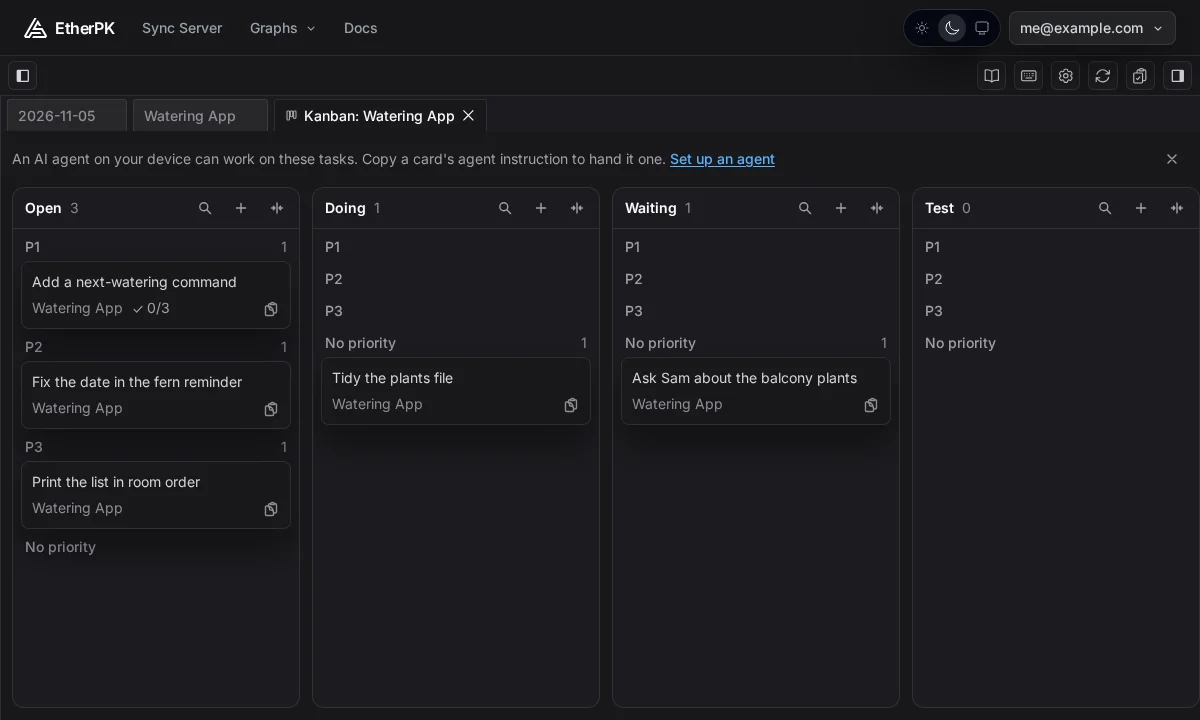
Dragging a card writes the new state or priority into its line. I dragged mine to Doing, which wrote #D.
The task editor
Select a card and the task editor opens over the board. Lane, Title, Priority, Due, Scheduled and Tags come from the task line. Description uses the same editor as the page and holds everything nested under the task above its comments: here, the three subtasks. The form also has Assets and Comments.
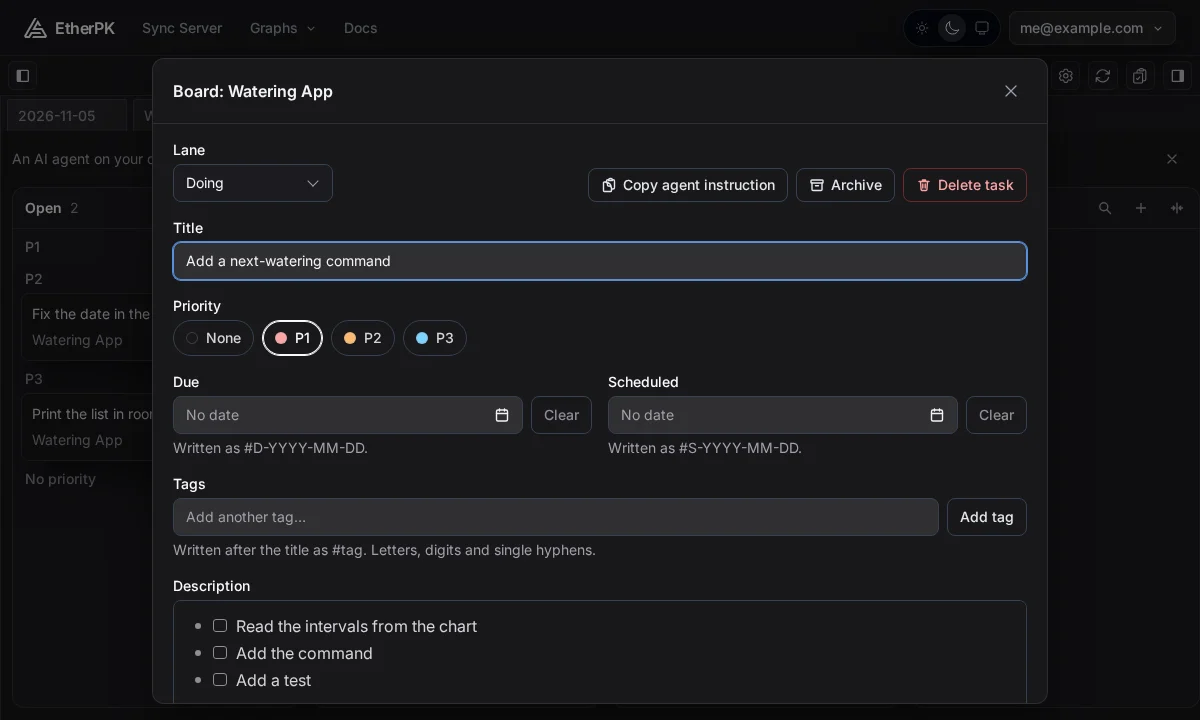
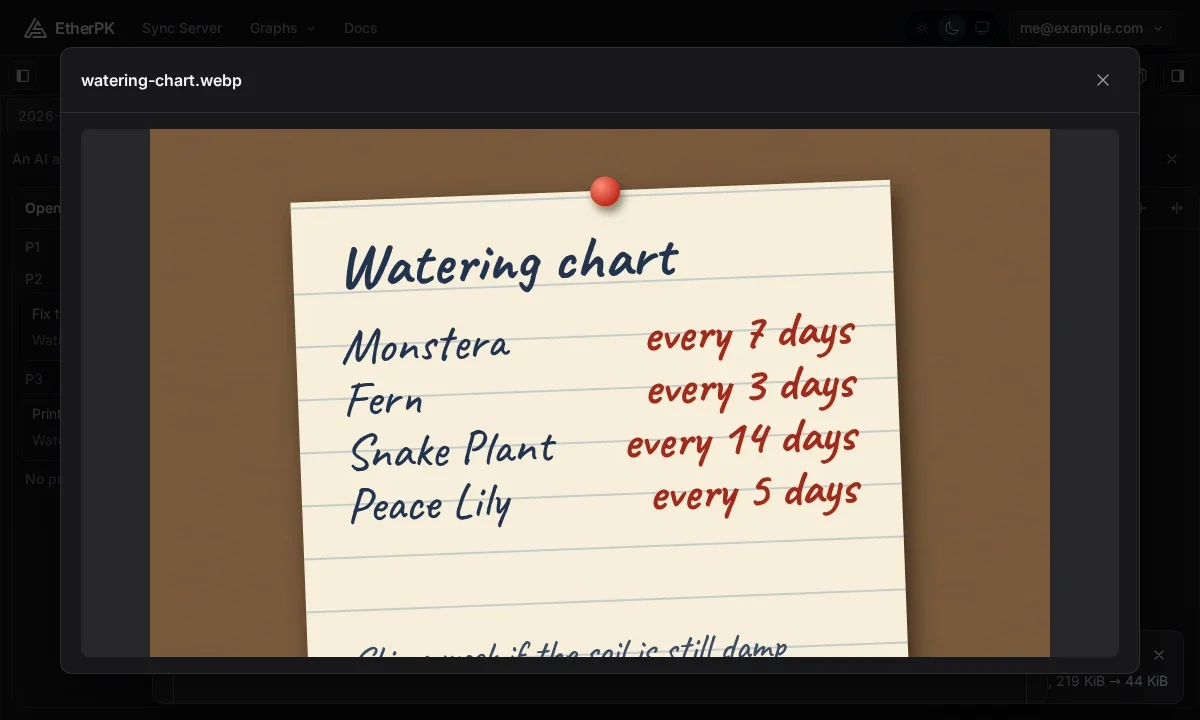
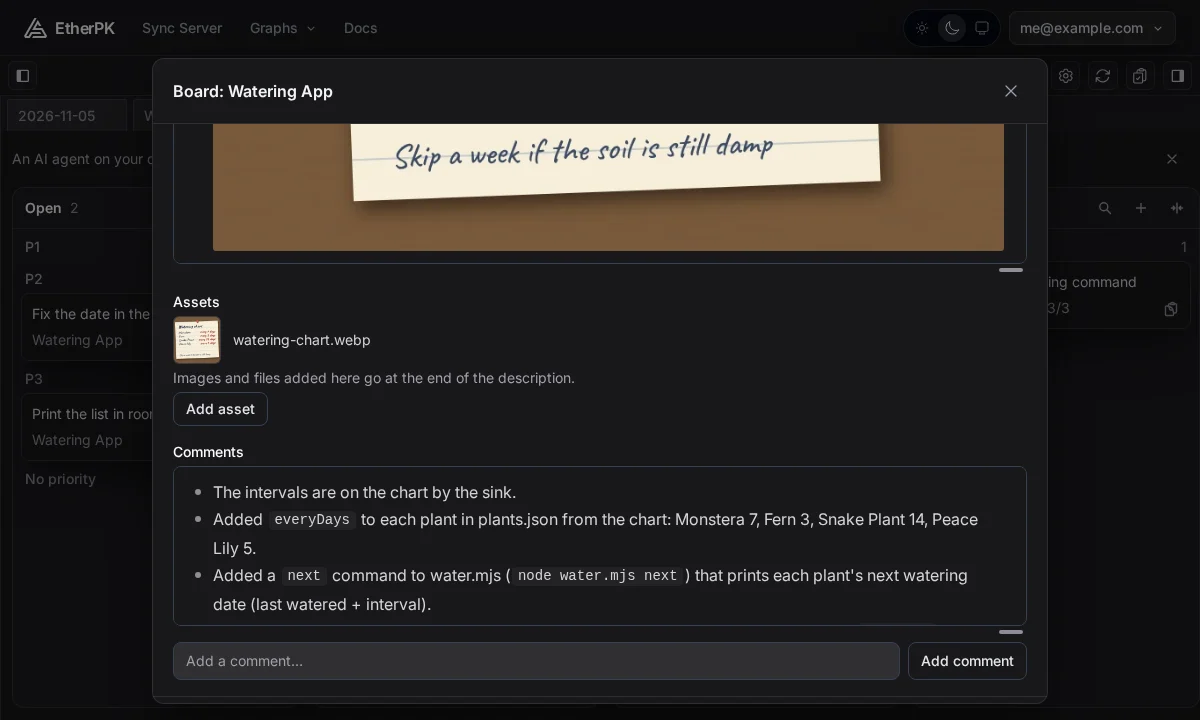
Add asset puts a file in its own bullet at the end of Description. I added a picture of a hand-written watering chart that gives a number of days for each plant, with a note at the bottom: "Skip a week if the soil is still damp". Those numbers aren't anywhere else in the graph or the project.
To add a comment, type in the box and press Enter or select Add comment. Mine said "The intervals are on the chart by the sink."
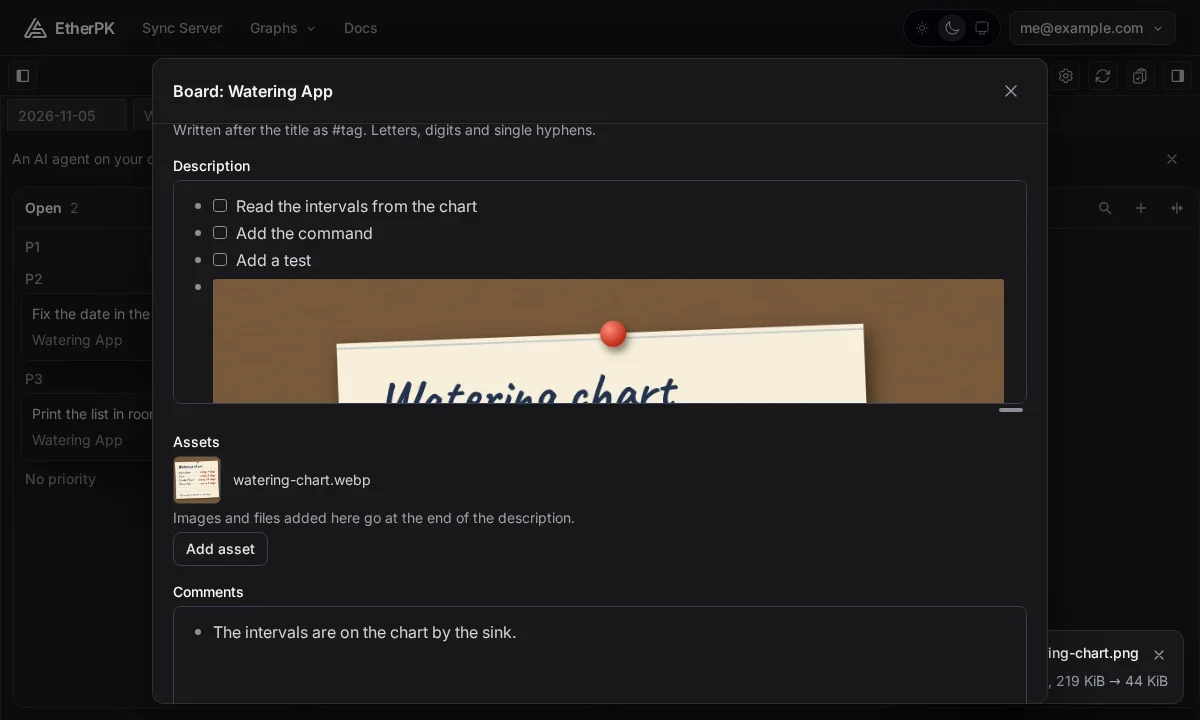
To see the picture larger, select it under Assets.
Hand it to the agent
The Copy agent instruction button is in the task editor, on the same row as Lane. I selected it, and back on the board a notice said what was copied.
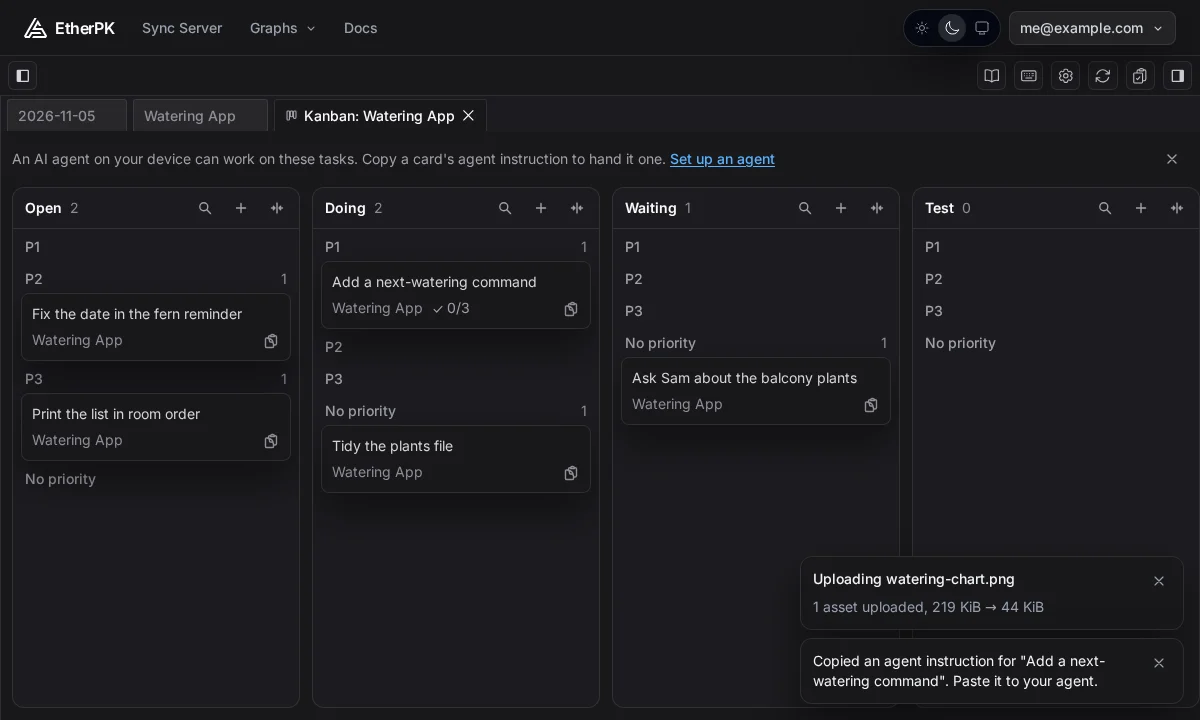
The agent reaches Plants through the EtherPK MCP server, which I'll come to after the run. (MCP is the protocol agents use to call tools.) The copied text names that server and gives the graph, the task and a reference:
EtherPK task from the graph "Plants" (<graph id>)
Task: Add a next-watering command
Reference: etherpk:/g/<graph id>/d/Watering%20App#task=2-7e088ca40dac
This is not a web address. Use the EtherPK MCP server connected to "Plants": read_task with this whole text to read the task and its detail, set_task if you are asked to change its status, add_task_note to record what you did.
If you have no EtherPK MCP server for this graph, stop. Do not search this device for it or work from a folder copy, which EtherPK overwrites. Tell the user to connect you from the Agents tab in EtherPK's Settings, which they can open at https://app.etherpk.com/g/<graph id>?settings=agents
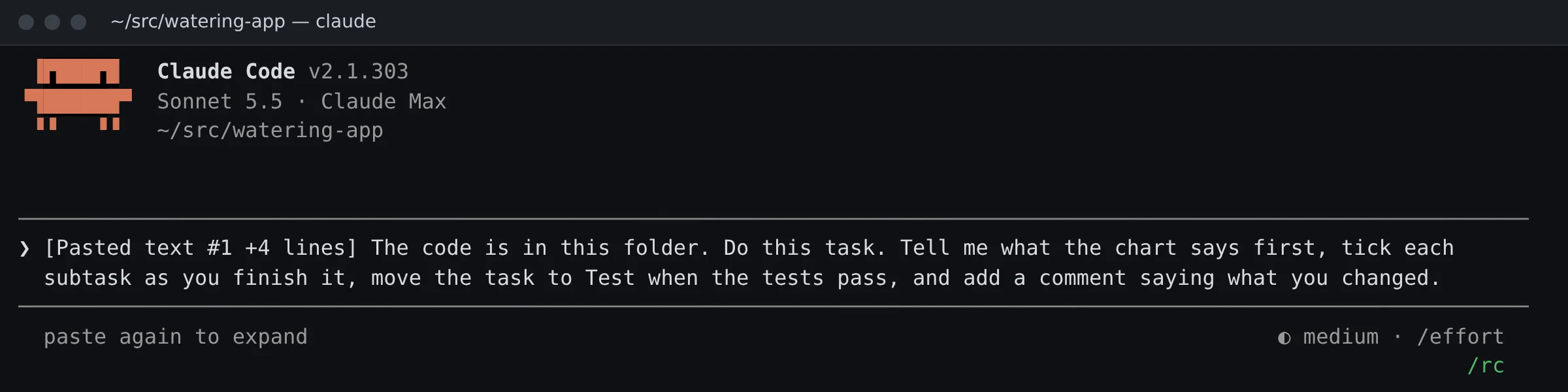
I started Claude Code in the app's folder, pasted the text and typed a request after it. The text tells the agent to change the status only if asked, so my request asks for that:
The code is in this folder. Do this task. Tell me what the chart says first, tick each subtask as you finish it, move the task to Test when the tests pass, and add a comment saying what you changed.
What the agent did
Claude Code ran Sonnet 5.5 in accept-edits mode, and I'd allowed the graph tools and test commands, so it didn't stop for permission prompts. The demo project's CLAUDE.md also asks for small edits and a short line after each step, so expect a noisier first run on your own project.
The agent started by calling read_task, which returns the task with its status, priority and dates, everything nested under it, and its assets, comments and subtasks. My comment came back word for word, but the picture came back only as its line in the text and a reference under assets.
The EtherPK MCP server tells an agent to read each picture or file on a task before it starts, and my request asked for the chart first. Claude Code fetched the chart with read_asset, a second call that writes the file to its device so it can open it. Before changing any file, it printed this:
The chart gives watering intervals of 7 days for Monstera, 3 for Fern, 14 for Snake Plant and 5 for Peace Lily. I'm ticking off the first subtask and adding these intervals to the data next.
Those numbers are only in the picture, so the agent must have read it.
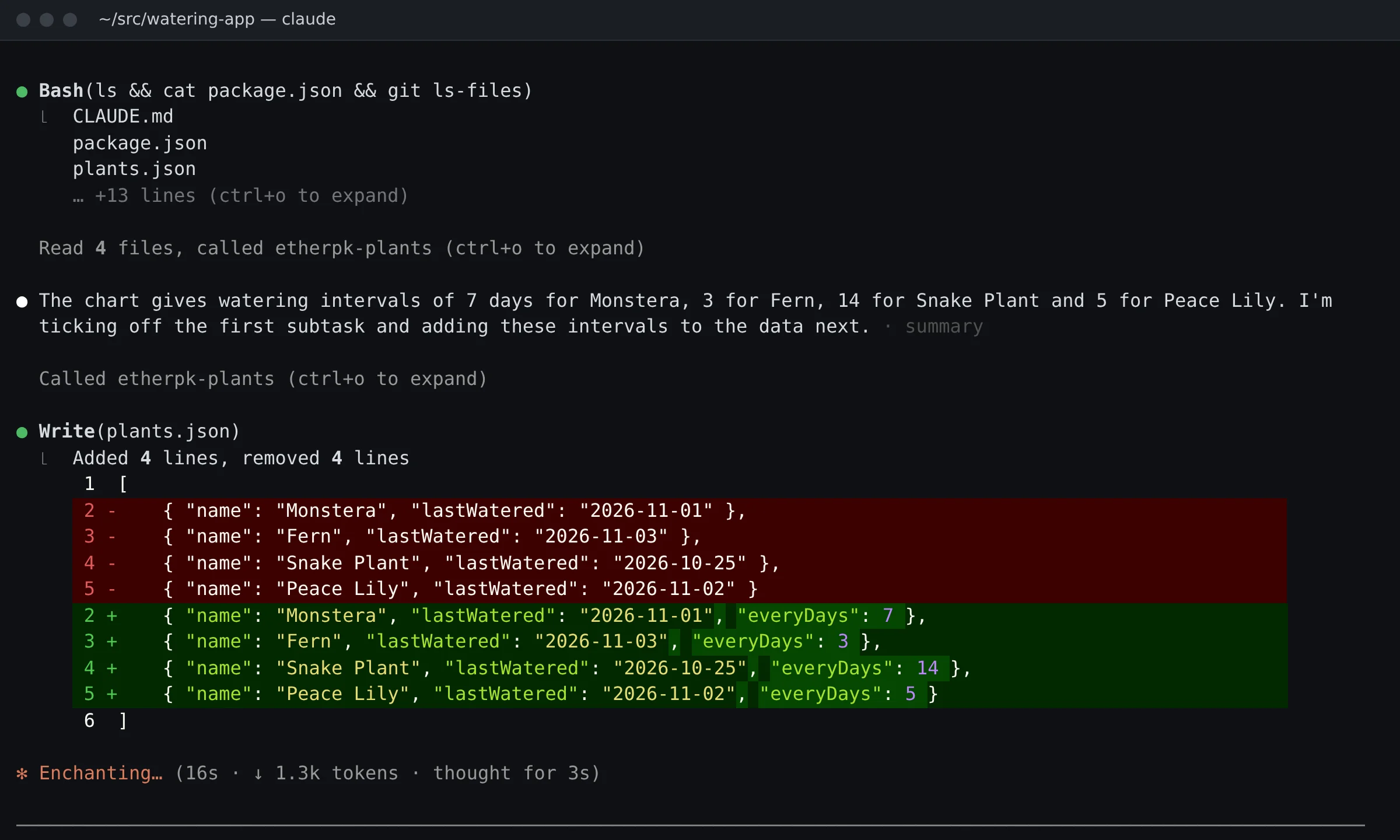
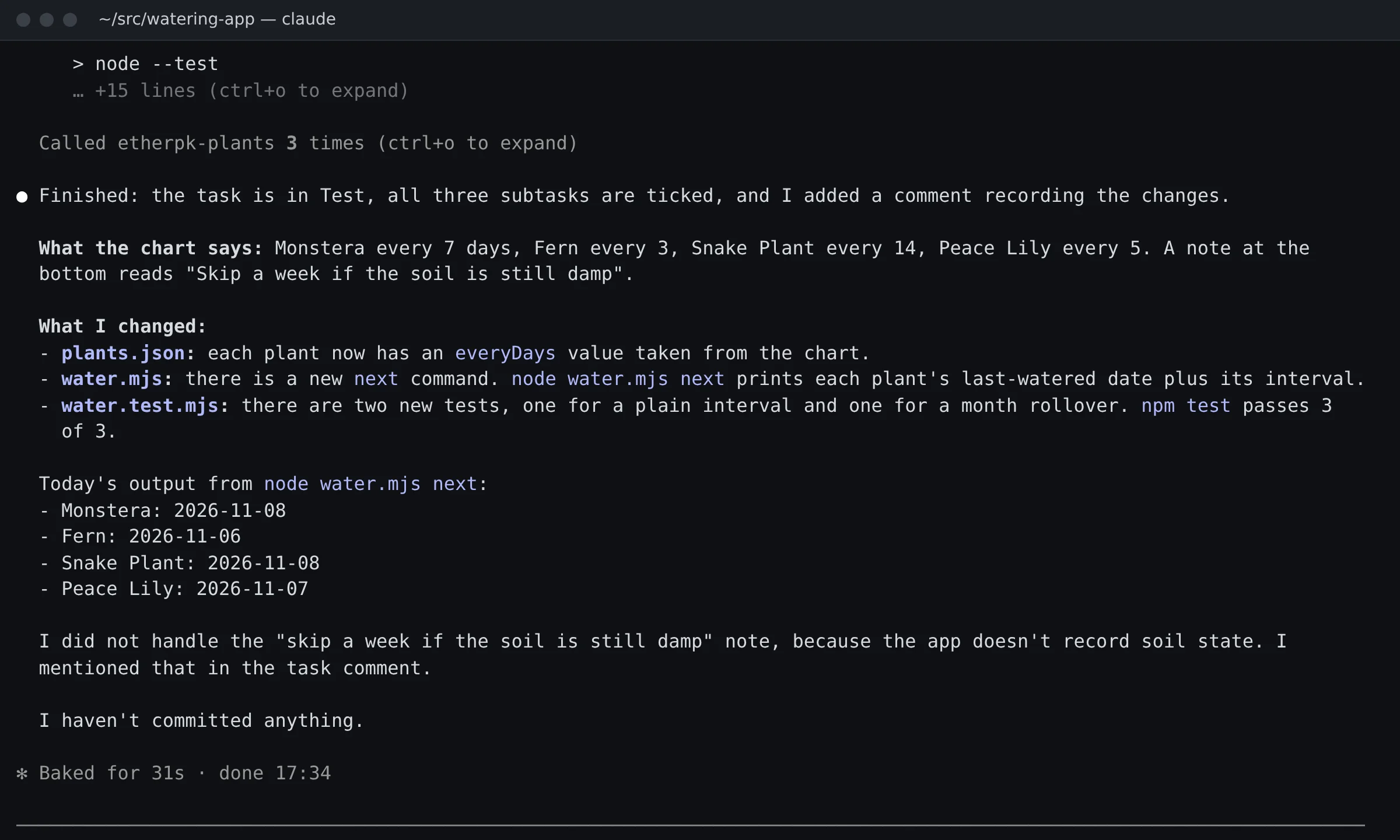
Next the agent wrote plants.json, edited water.mjs and water.test.mjs, and ran the tests, which passed, 3 of 3. It ticked the subtasks as it finished them and moved the task to Test once the tests passed. Its last call added a comment on what it changed.
It left the skip-a-week note undone and said why: "I did not handle the 'skip a week if the soil is still damp' note, because the app doesn't record soil state." The whole turn took 31 seconds.
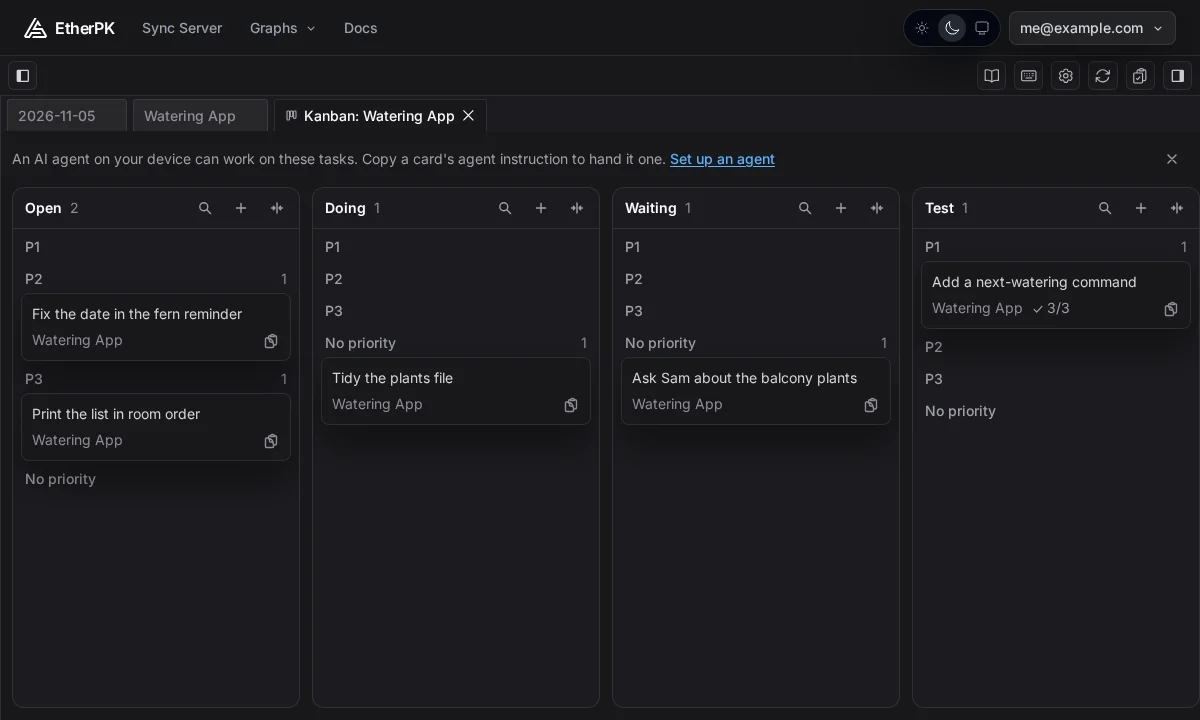
Back on the board
The board updates by itself when the notes change, so I didn't reload the page. The card was in Test under P1, at 3/3.
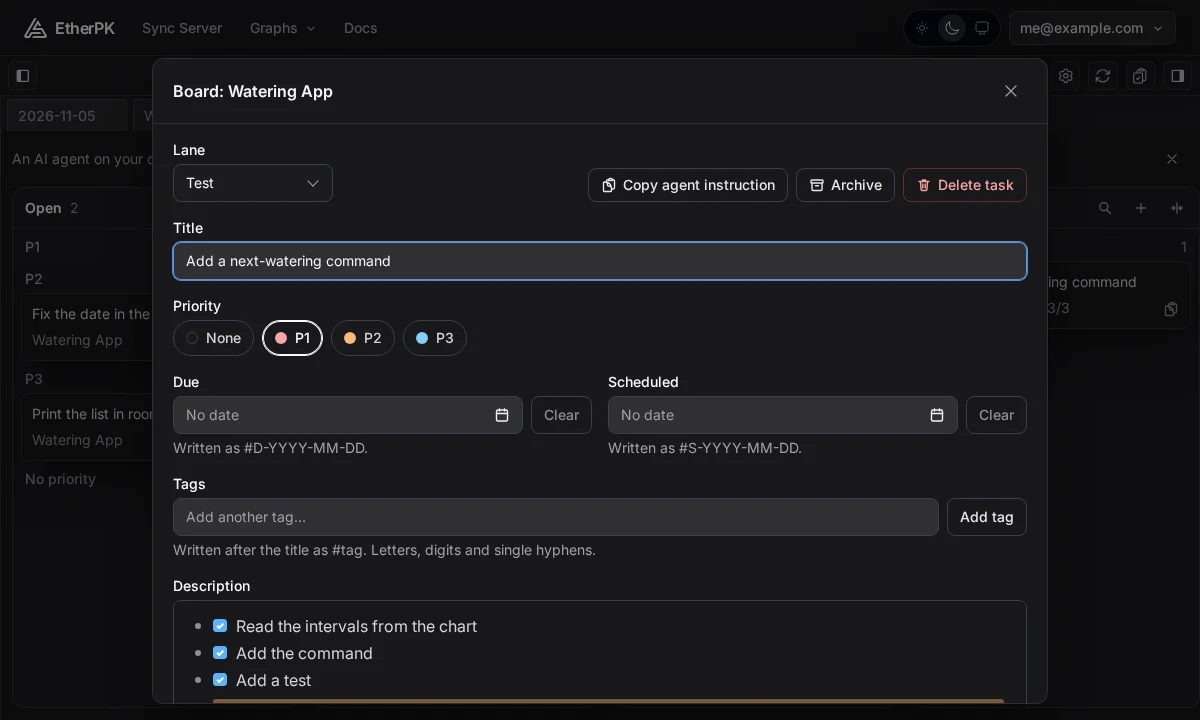
In the task editor, Lane said Test and all three subtasks were ticked.
Comments had the comment I typed earlier, then the agent's bullets on what it changed.
Set it up
A synced graph like Plants has no folder on your device, and you reach it through EtherPK's sync. Its notes are encrypted before they reach the Sync Server, the remote service that stores and relays them but can't read them. So the agent gets to them through the Headless Client on its own device. The Headless Client is EtherPK without the editor: an npm package, run with npx, that serves one graph to the agent as the EtherPK MCP server. It needs Node.js 24 or later.
To connect an agent, select the cog button in the toolbar (Graph name and settings), then the Agents tab in Settings and Extensions. The MCP Server sub-tab lists three numbered steps, then an optional fourth.
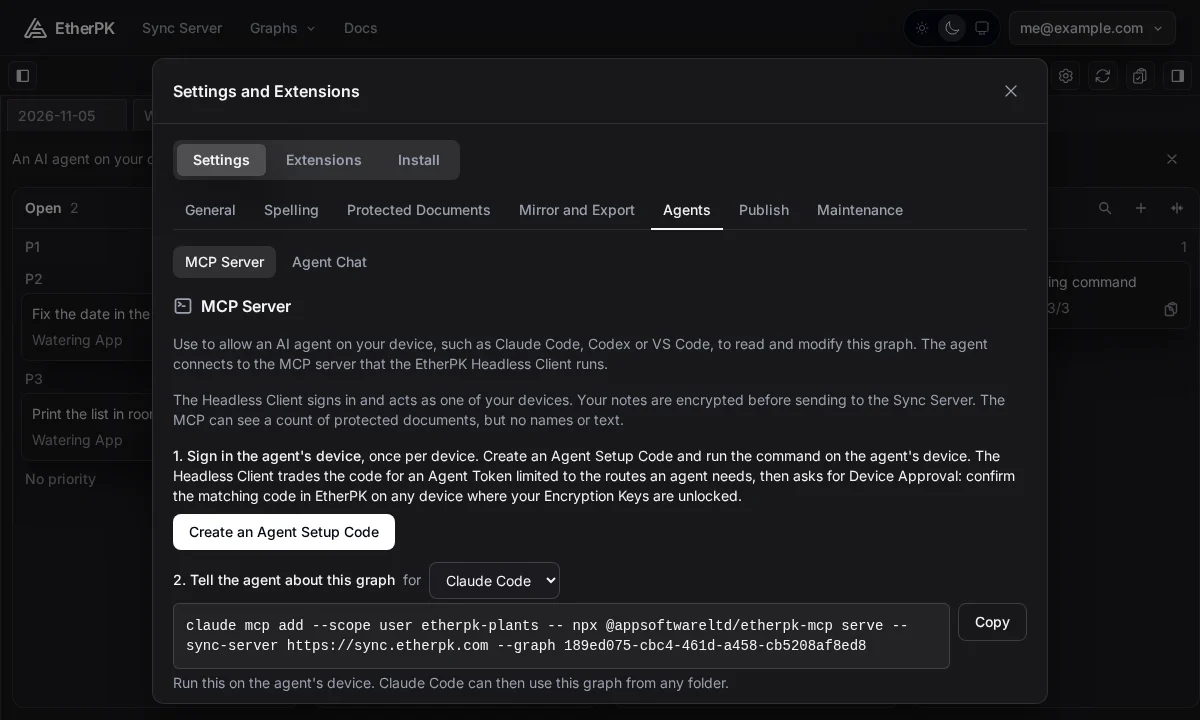
You do 1. Sign in the agent's device once per device. Select Create an Agent Setup Code to get a login command with a Copy button. The code works once and expires after ten minutes.
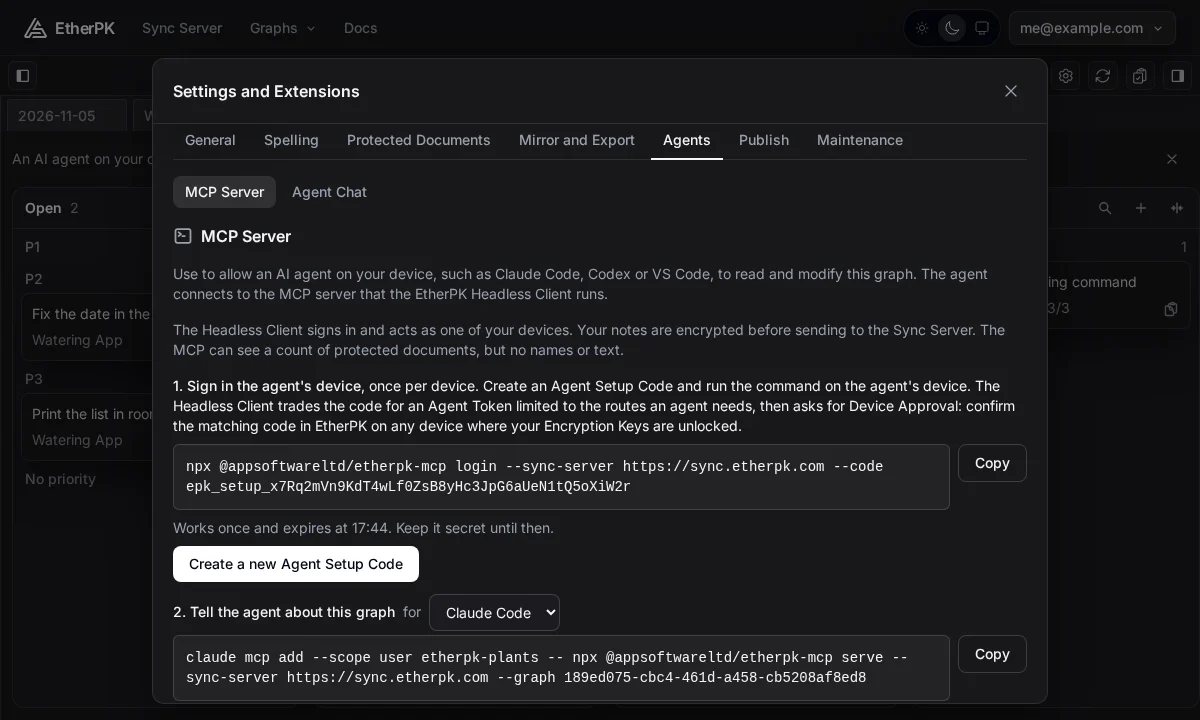
Run the command in a terminal on that device:
npx @appsoftwareltd/etherpk-mcp login --sync-server https://sync.etherpk.com --code <code>
Your account's Encryption Keys open its notes, and each device has to unlock them for itself, in this case by Device Approval. The terminal tells you to open EtherPK on a device where the keys are already unlocked, then waits. Approve a new device? appears in EtherPK with a code, and the terminal then prints the same code. If the codes match, select Approve and press y in the terminal. If they differ, use Reject or n.
2. Tell the agent about this graph gives the command for your agent. For Claude Code, run this on the same device:
claude mcp add --scope user etherpk-plants -- npx @appsoftwareltd/etherpk-mcp serve --sync-server https://sync.etherpk.com --graph <graph id>
Codex has its own command, and Cursor, VS Code and Other have a JSON block. 3. Hand the agent a task is the copy and paste above.
A local graph is a folder of plain markdown files on disk, so it needs no sign-in. Start the agent in that folder instead.
What it doesn't do
- No agent can reach the demo graph, a graph of sample notes for you to try, because it's kept inside your browser.
- An agent needs the keys on its own device to read a synced graph, so one that runs entirely in the cloud can't reach it.
- A reference finds its task by its words, so if you reword the task, the agent changes nothing and is told to ask you for a fresh instruction.
Try it
The board and the task editor run on the demo graph, which is set up on your first visit and has tasks on pages such as Monstera. The Kanban boards docs cover the keys for moving a card and how to hand over a whole lane, and there's more in the tasks docs and the using AI agents docs.