Introducing EtherPK
Today I'm proud to finally announce EtherPK (Ether Personal Knowledge). EtherPK is available for alpha testing now at https://etherpk.com. You're welcome to use EtherPK as your daily driver (I have been for a month or so now), but expect a few rough edges. Progression to Beta testing is expected within a couple of weeks.
What is EtherPK?
EtherPK is a PKMS (Personal Knowledge Management Tool). But more than that, it's pretty close to the best personal knowledge tool I can imagine (and I intend to get better than 'close to' in the coming months - I hope to make it the best personal knowledge management tool I can imagine). Obviously what counts as 'best' here, aligns with my personal preferences, and I am aware that PKMS tools evoke strong opinions about what the best way to do things is.
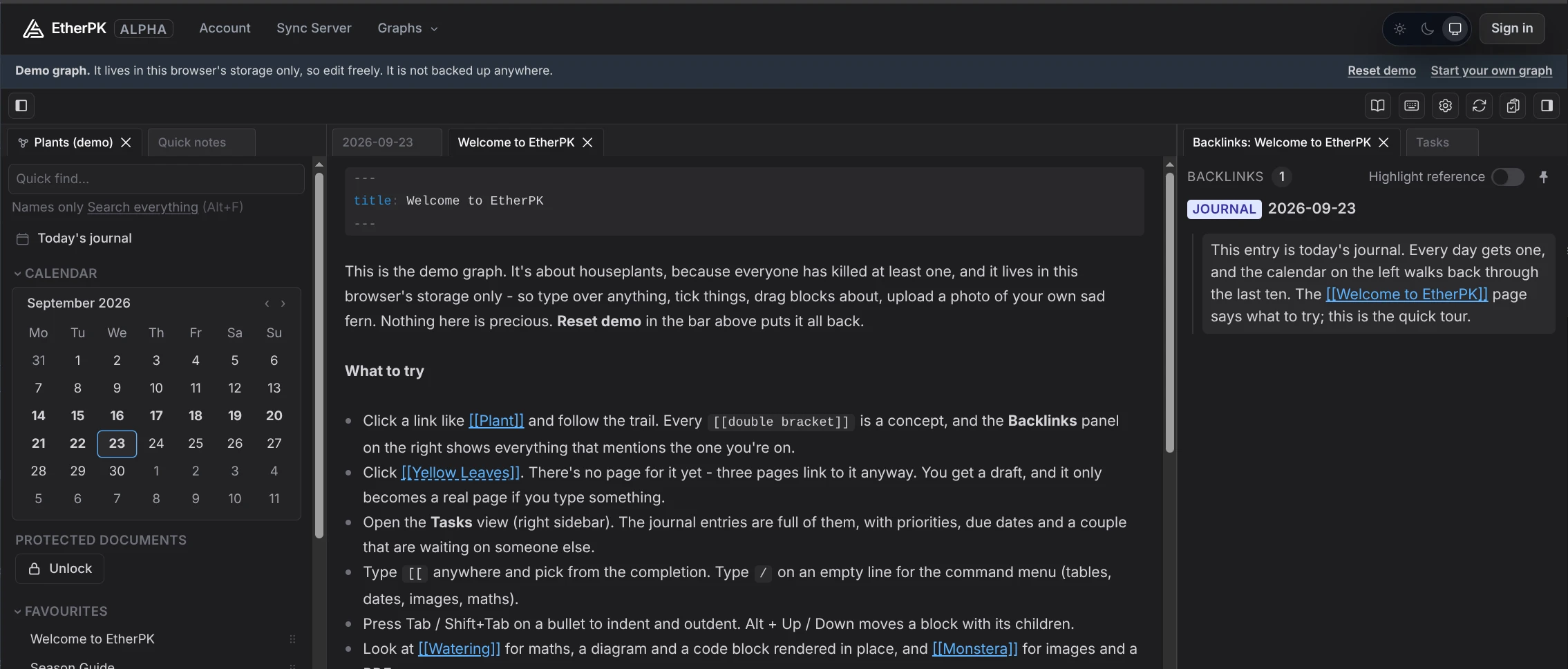
The best way to introduce you to EtherPK is to tell you about some of it's main features:
Two Types of Editor In One (Plain Markdown + Block Outliner)
EtherPK is a markdown based editor. Two of the most important features of EtherPK (and to be honest, the main drivers for me building it) are robust nested wikilinking (e.g. [[[[Nested]] Wikilinking]] ), and the ability to easily switch between standard prose (paragraphs and headings) like Obsidian and outliner blocks like Logseq or Roam Research. Given the choice of one or the other, I've preferred outliner blocks - this format lends it's self the ability to quickly capture and link ideas really well, and build a true 'Knowledge Graph'. But this isn't what I want all the time - if I'm writing for an audience (e.g. technical documentation or a blog post - EtherPK does static site publishing too), I want standard markdown - headings, paragraphs. EtherPK can have both in the same document, and while not as robust for linking concepts as blocks, EtherPK infers links between ideas from heading levels (H1, H2, H3 etc) in standard prose.
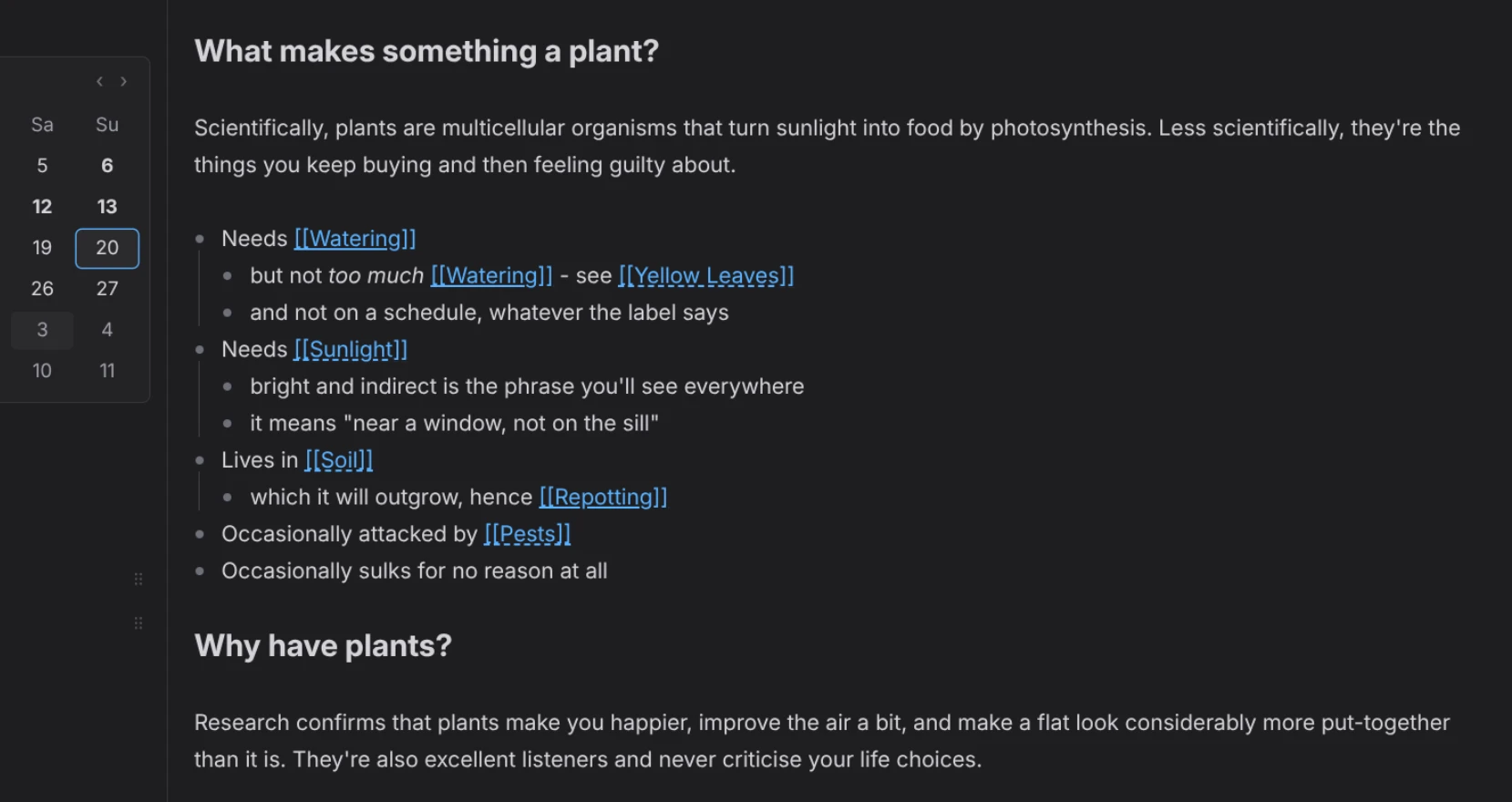
Robust Nested Wikilinking
Create deep hierarchies of related concepts using nested wikilinking, which along with heading level and outliner blocks allow EtherPK to infer backlink relationships between your concepts.

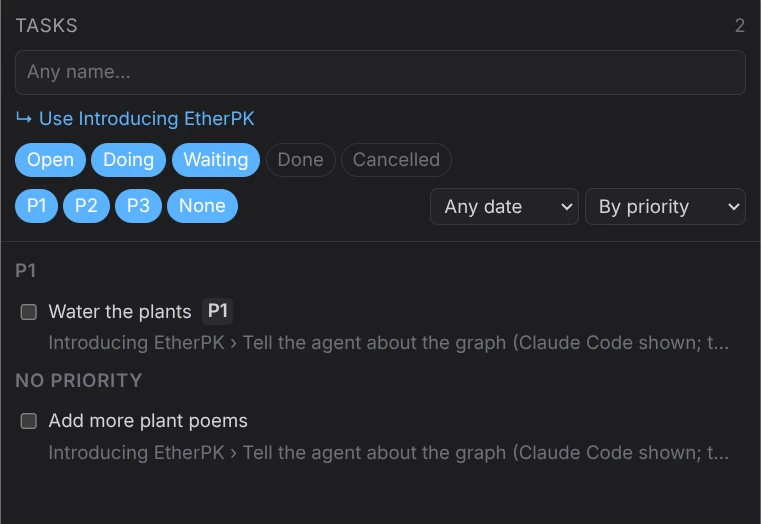
Task Management
Manage and navigate around your tasks in the right side drawer. Filter by concept to focus on related issues.
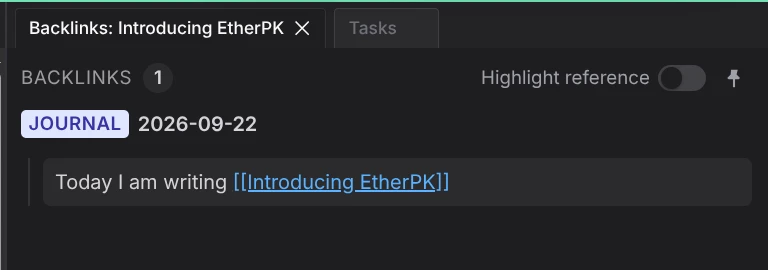
Backlinks
Easily view and navigate around backlinks to concepts in your graph. Link and discover related ideas and your history of work / thinking around a concept.
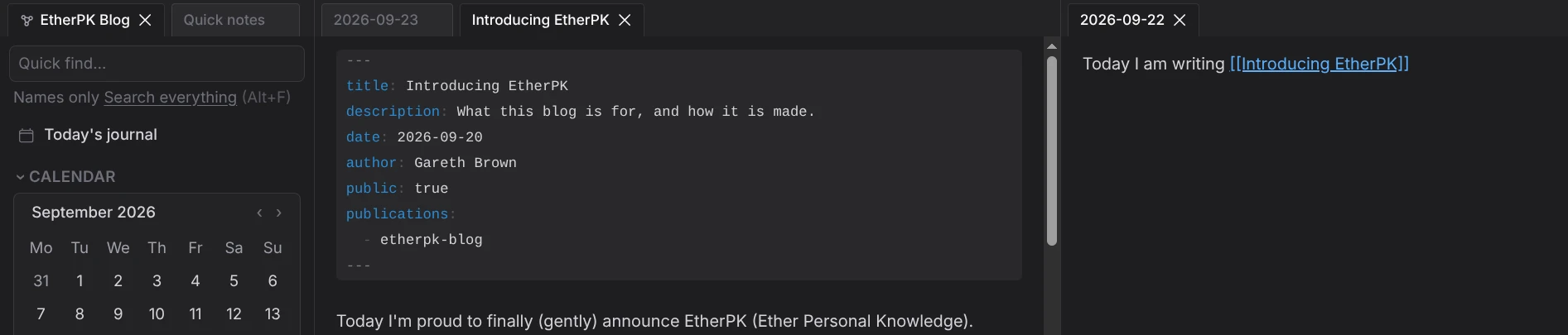
Document Tabs and Dockable Document Panes
Organise the notes your are working on with orderable, dockable, pinnable panes.
A Great Writing Experience via CodeMirror
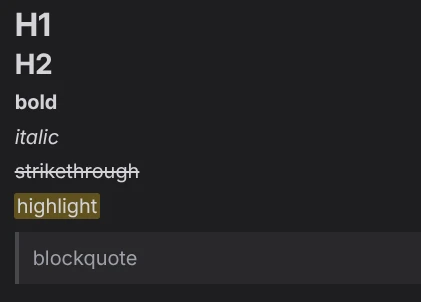
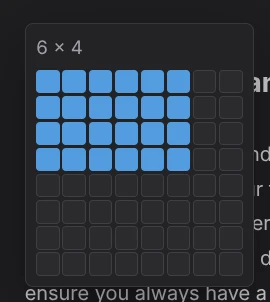
The EtherPK editor is built on top of CodeMirror, with lots augmentations for assistance in editing documents like WYSIWYG formatting (like Typora), table generation and formating, task / TODO toggles, LaTeX rendering, Mermaid Diagrams, date functions, browser leveraged spell check and more.
But importantly, it's also feels fast light and feels nice to edit in.
- Priority 1 Complete the EtherPK introductory post
Task editing:

Table Editor:
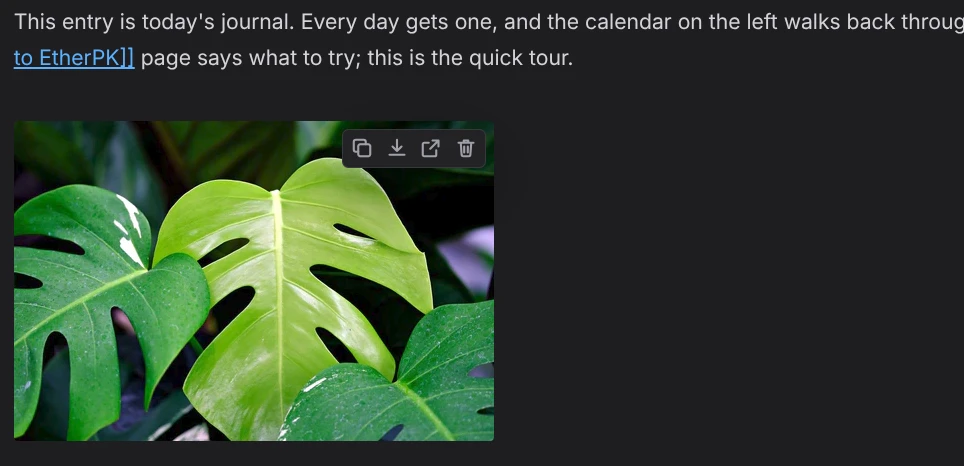
Inline Image Rendering
Asset Storage
Upload large assets to your graph whether you are working with a local folder based graph or using the EtherPK Sync Server. Where the sync server is used, assets are encrypted on your device before upload
Data Ownership and Portability
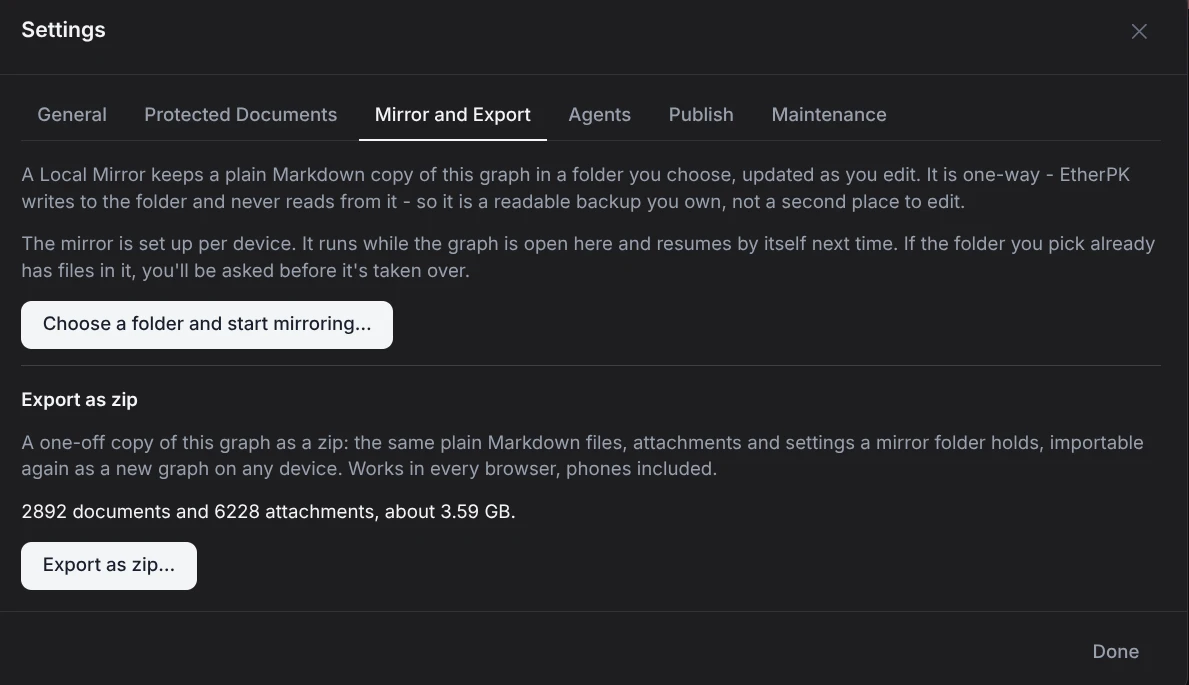
EtherPK is based on standard (GFM - GitHub Flavoured Markdown). Your documents can be stored and edited locally on your device in a folder on your file system (via the File System API for Chromium based browsers) or in OPFS (Origin Private File System) for other browsers. In this case they are plain markdown files. You can back them up or version control them like you might source code.
Your documents can also be stored on EtherPK's sync servers, and be mirrored back continuously, or exported in a zip archive to your device to ensure you always have access to a local copy. Where EtherPK's sync server is used, data (including documents and attachments) is encrypted on your device before being transmitted (zero knowledge encryption) using keys under your control, ensuring total privacy - we cannot see or decrypt your data.
Mobile and Web as 1st Class Citizens
I feel that too many PKMS apps neglect the portability of your knowledge base. To address this, EtherPK is web first. Installable on mobile as a PWA (Progressive Web Application).
The EtherPK client when combined with the Sync Server is fast and light and equally as capable as it's desktop counterpart.
When installed via the Chrome browser on Android, EtherPK can be set as a share target for quick note capture on the go.
Use EtherPK Anywhere
Where corporate firewalls often have default blocks knowledge management tools such as Obsidian or Logseq, even if the tools are permitted.
EtherPK's availability as a web application, installable as a PWS goes a long way to ensuring it is accessible everywhere. Where the domain is blocked, the EtherPK client will soon be distributed as a Docker Image and a standalone Node.js build. This will come alongside the planned opensource publication of the EtherPK client.
Complete Data Privacy
- Zero knowledge sync and asset storage where synced graphs are used - data is encrypted on the client using keys you keep and own. We cannot see your data (and we cannot recover it if you loose your keys - so be careful with those).
- Option not to use sync at all and rely on folder based graphs - here you can choose your own backup or sync mechanism. Data will not leave your device without your knowledge.
- No telemetery in the EtherPK client
Protected Documents
Protected documents are locked with an addition encryption key can can be used with local folder based graphs or graphs on the Sync server. While all data on EtherPK sync servers uses zero knowledge encryption, protected documents provide another layer of security for sensitive information that also needs to be protected on device. Unlock your workspace to view your protected documents and lock again when you are finished reading or editing.
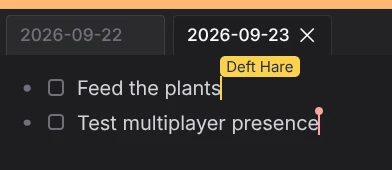
Multiplayer Graph Editing
- CRDT (Conflict-free Replicated Data Type) technology used in EtherPK means you can collaborate on your graph documents in realtime (multiplayer / collaborative editing).
- Share your graph with robust access controls.
Static Site Publishing
A single EtherPK graph can be used to edit and publish multiple static sites, with a built in theme library and editor. Fun fact: This documentation is written and published to Cloudflare using EtherPK static site publishing!
Agents (AI) Integration
For folder based graphs, EtherPK publishes an AGENTS.md file along side the graph to help your agent understand the structure of your notes and how to work with them.
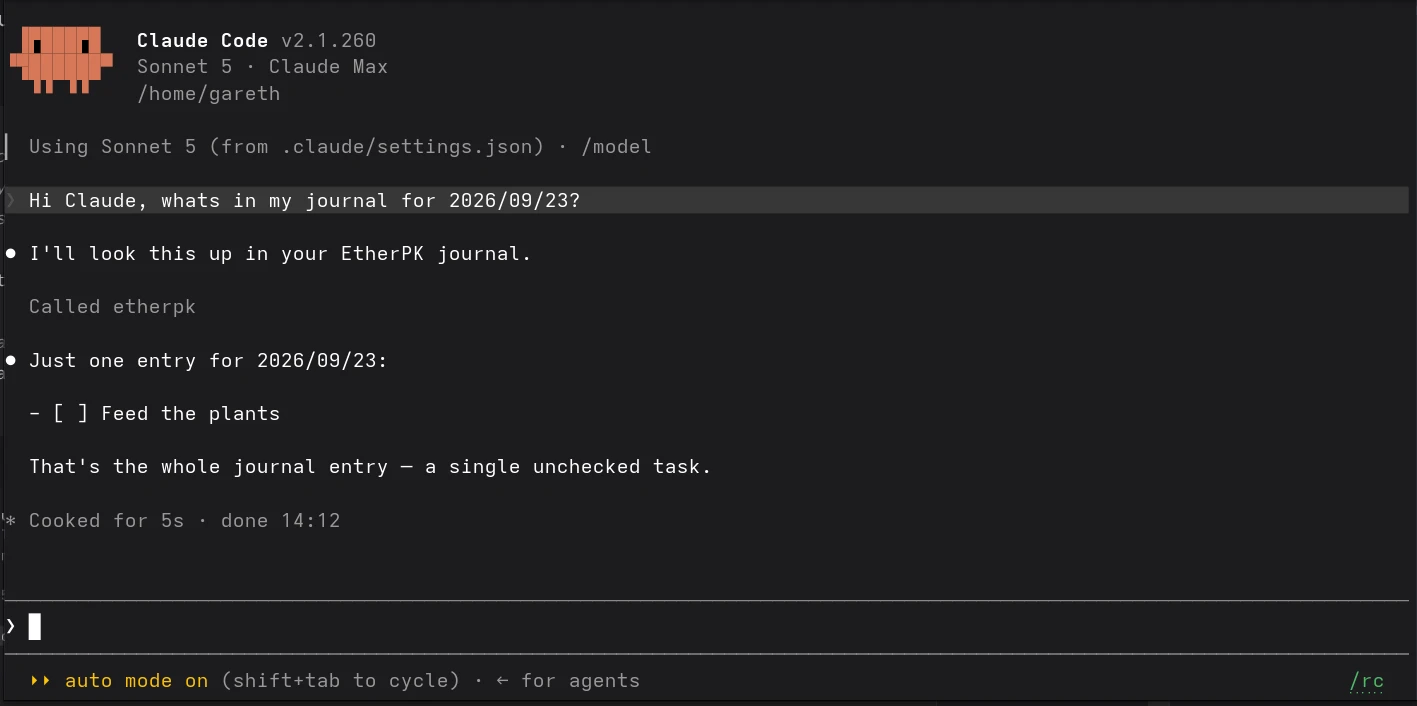
For both synced and folder graphs, https://www.npmjs.com/package/@appsoftwareltd/etherpk-mcp, the EtherPK MCP server including a headless client is available for full agentic control of your graph, facilitating a full RAG pipeline for semanic search, all running locally on your computer.
Agent use is strictly opt-in via intentional use of these tools, and agents can't access or modify protected documents in EtherPK. Not everyone wants agents managing their notes for them, but strong support is there if you do.
# Once per computer. Asks for an account-wide Personal Access Token (from
# https://sync.etherpk.com/account/tokens, or "Access tokens" in EtherPK's account menu),
# then shows a short code: confirm it in any browser tab where EtherPK is signed in and
# unlocked. The same step as adding a phone.
npx @appsoftwareltd/etherpk-mcp login --sync-server https://sync.etherpk.com

# Tell the agent about the graph (Claude Code shown; the Agents tab has the others).
claude mcp add etherpk -- npx @appsoftwareltd/etherpk-mcp serve --sync-server https://sync.etherpk.com --graph <graph id>
Summary
So that's a walk through of the most important EtherPK features. If you want to get a better feel for it, you can try the Demo Graph, or better still Create Your Own.
If you get stuck, try the docs, or feel free to reach out at <a href="mailto:mail@appsoftware.com>mail@appsoftware.com