Markdown Tables You Can Edit In Place
EtherPK (https://app.etherpk.com) now lets you edit a Markdown table in place, WYSIWYG style. You can click a cell and type, and the table stays a table.
Until now, EtherPK drew a table as a grid only while you weren't editing it. Placing the the cursor in one and it turned back into Markdown text, showing a block of pipes and dashes with cell content, which was tricky to edit and read as a table.
You can now edit cell content, add and remove rows and columns without having to work with the plain markdown text behind it. If you do still want to access the plain markdown, the table context menu enables access.
Full markdown editor table management adds a great new capability to an already fast, capable markdown editor in EtherPK. Note that EtherPK is not limited to working with its own graph structure EtherPK can now work as a general purpose markdown editor in plain folder mode.
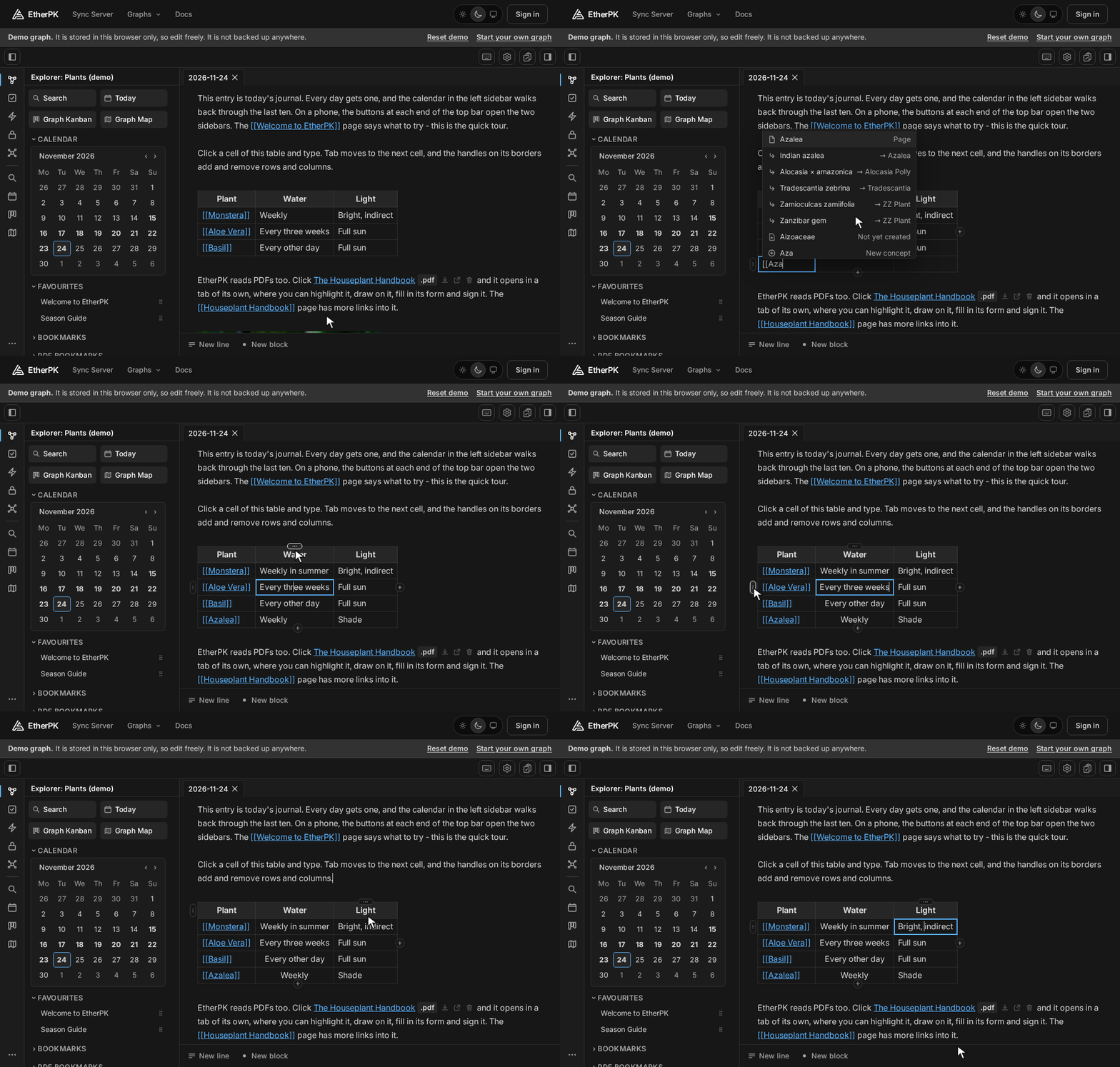
The animation is a recording of the demo graph, driven by a script, with the long pauses cut. The table is near the top of the demo's first page, so you can try everything in this post there. If you've opened the demo before, choose Reset demo in the bar above it to get the new page.
Type in the cell
Click a cell and the cursor goes into it, at the place you clicked. The cell you're in shows its Markdown, so a link shows its brackets and bold text its asterisks. The other cells stay drawn, and so does this one once you move on.
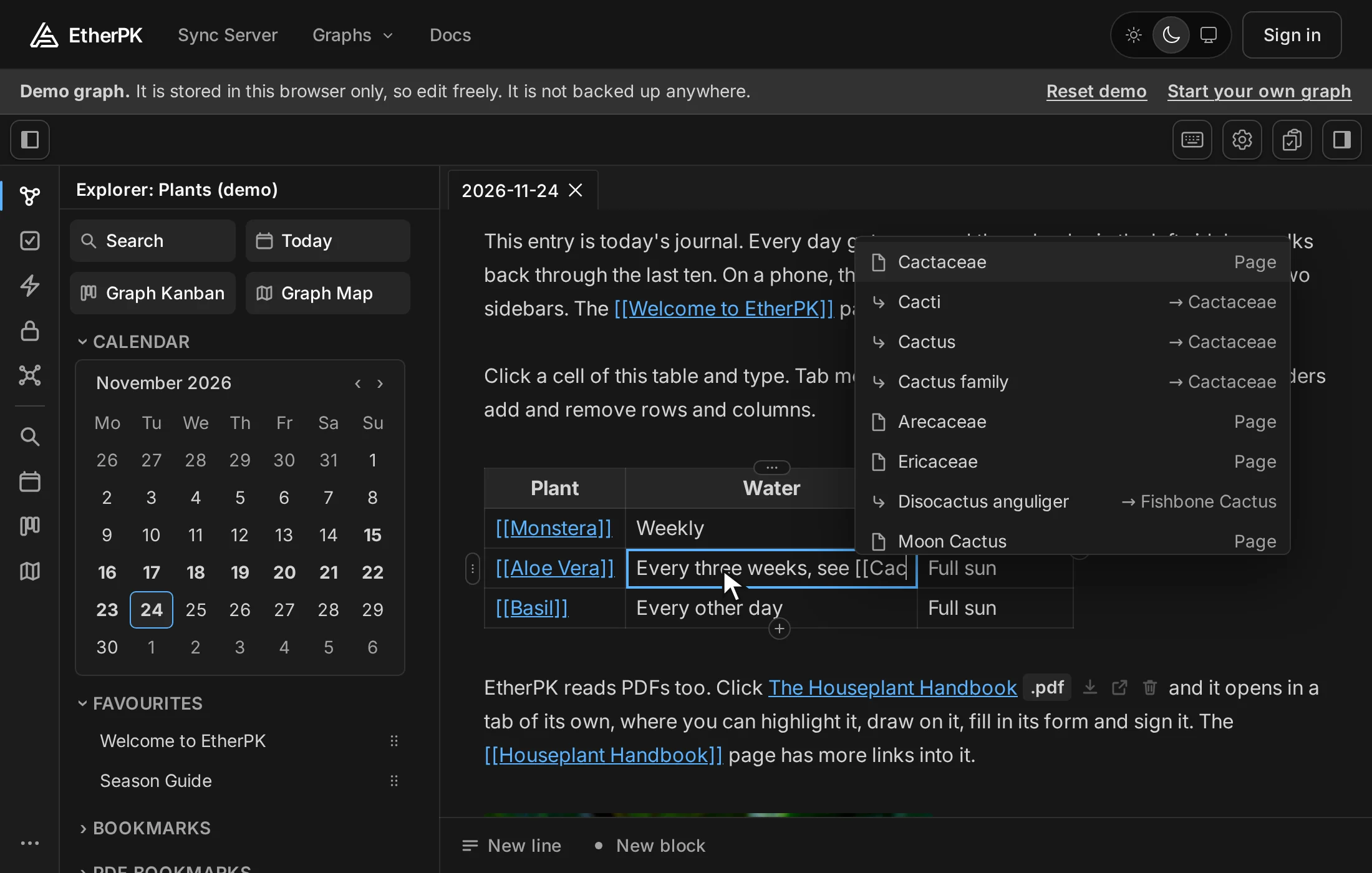
A cell is a piece of your document like any other, so what works on a line works in a cell. Type [[ and EtherPK suggests pages to link to.
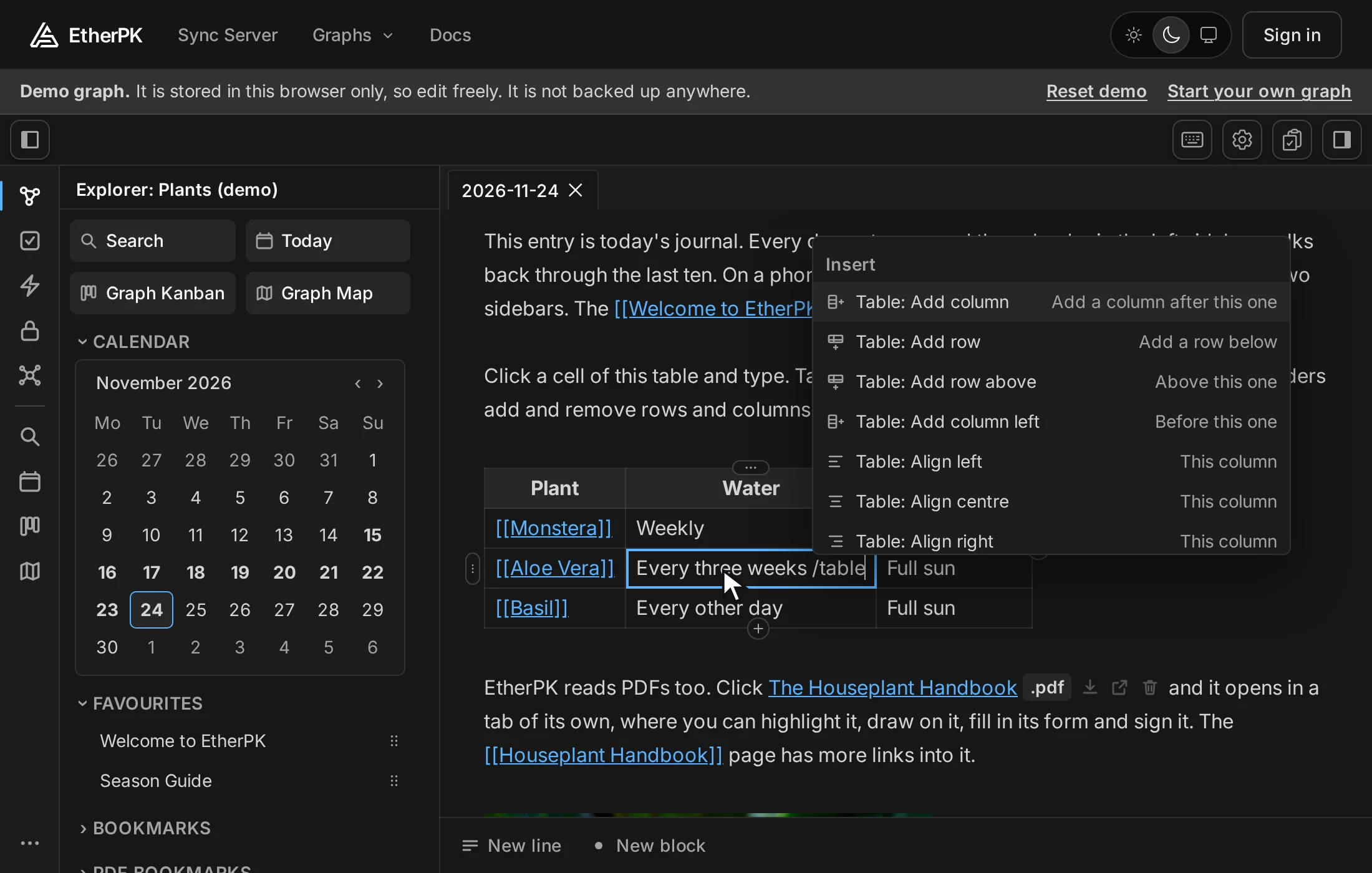
Ctrl+B makes the selection bold, and / opens the command menu, which lists the table actions while the cursor is in a table.
The keys move between cells the way you'd expect:
| Key | What it does |
|---|---|
| Tab | Go to the next cell. In the last cell of the table, add a row and go to its first cell. |
| Shift+Tab | Go to the cell before. |
| Enter | Go to the cell below. In the last row, add a row. |
| Arrow keys | Move through the cell's text, and cross into the next cell at its edge. |
| Escape | Leave the table for the line after it. |
A cell holds one line of text. If you type a |, EtherPK writes it as \|, so it stays in its cell.
Rows, columns and alignment
While the cursor is in a table, or the pointer is over it, small handles show on its borders. There's one beside the row and one above the column, and a plus on the bottom and right borders adds a row or a column at the end. Each handle opens a menu.
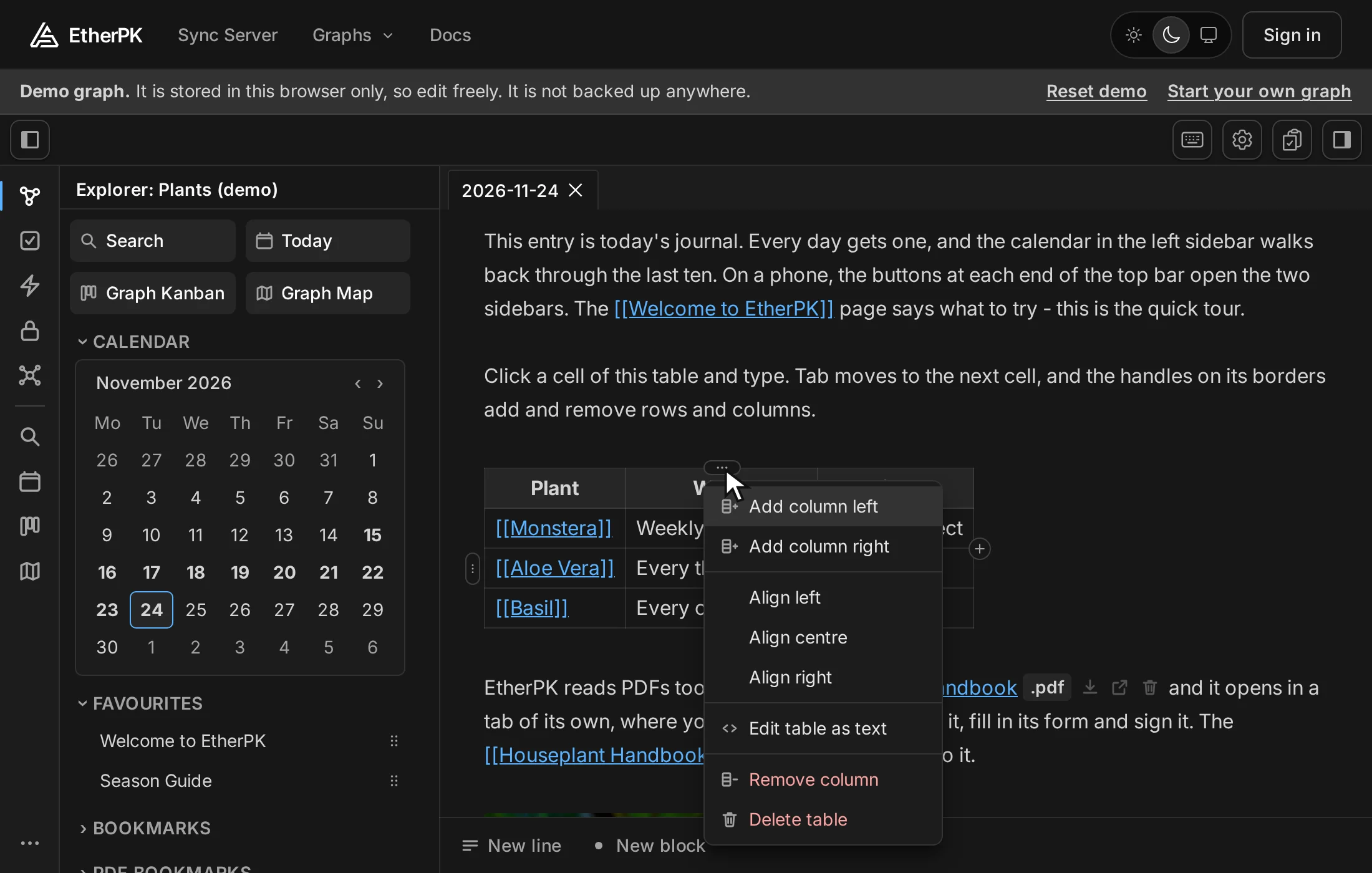
The column's menu adds a column on either side, aligns the column and removes it. The alignment a column has is ticked, and choosing it again takes it off. The row's menu adds a row above or below and removes the row. Both menus end with Edit table as text and Delete table, which I'll come to.
A table is as wide as its cells need, up to the width of the text, where long cells wrap. Typing in one cell doesn't move the other columns about.
Select a block of cells
Drag from one cell to another, or hold Shift and click a cell, or hold Shift and press an arrow key from the edge of a cell's text. The cells between are selected as a block.
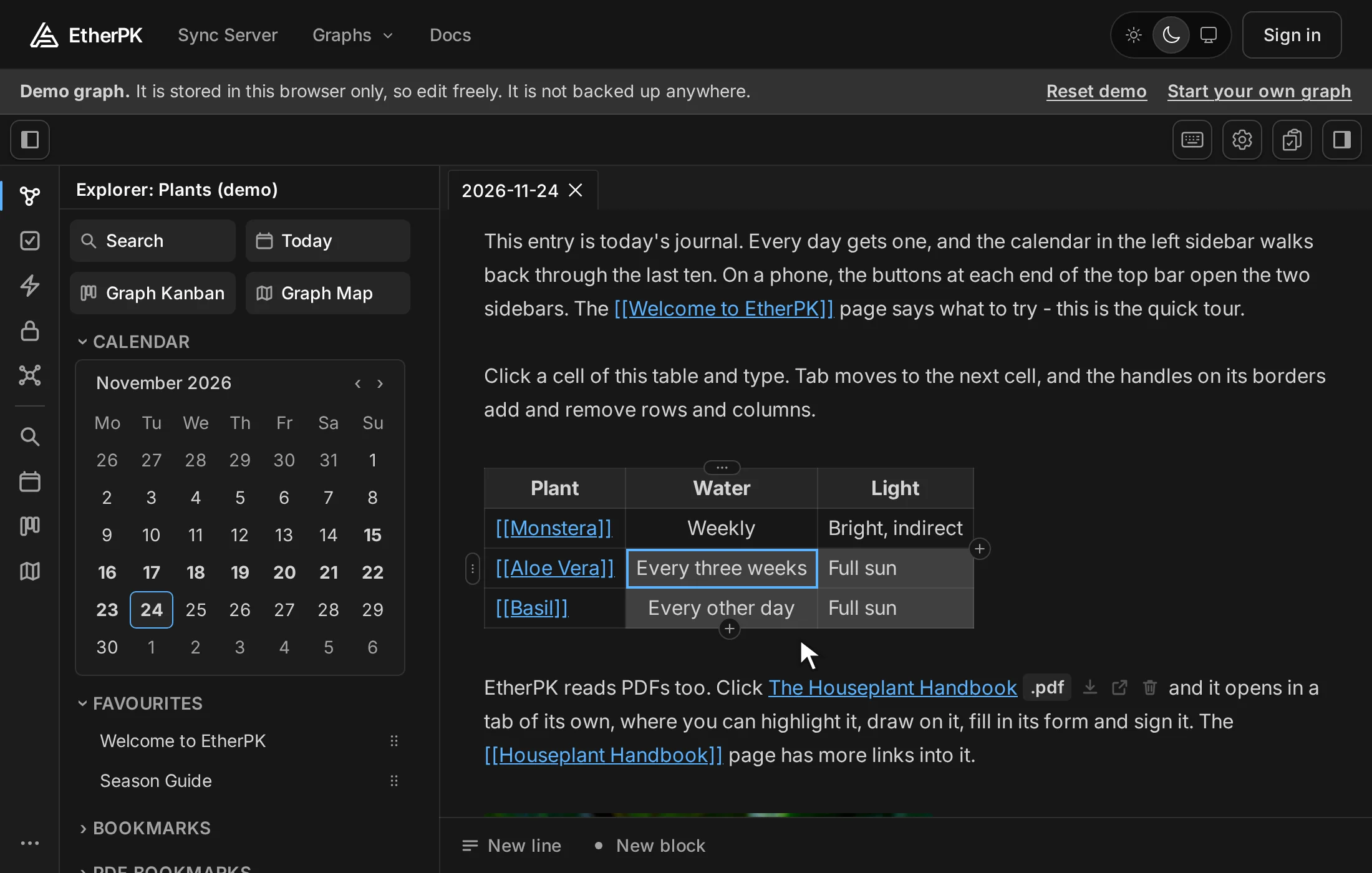
Delete empties the block's cells and leaves its rows and columns. Copy puts the block on the clipboard as a table, so it pastes into a spreadsheet as rows and columns. It works the other way too. Copy rows from a spreadsheet and paste them into a cell, and they fill the cells from that one across and down. If they run past the last row or column, the table grows to hold them.
With a block selected, Remove row and Remove column take every row or column of the block.
The Markdown is still there
The table is still plain text in your document: a header row, a row of dashes and the body rows, in GitHub-flavoured Markdown. EtherPK stores nothing else about it, so another Markdown editor shows the same table.
When you want to see that text, choose Edit table as text from either handle's menu, or Table: Edit as text from the command menu. The table shows as its Markdown until the cursor leaves it, and then it's drawn again.
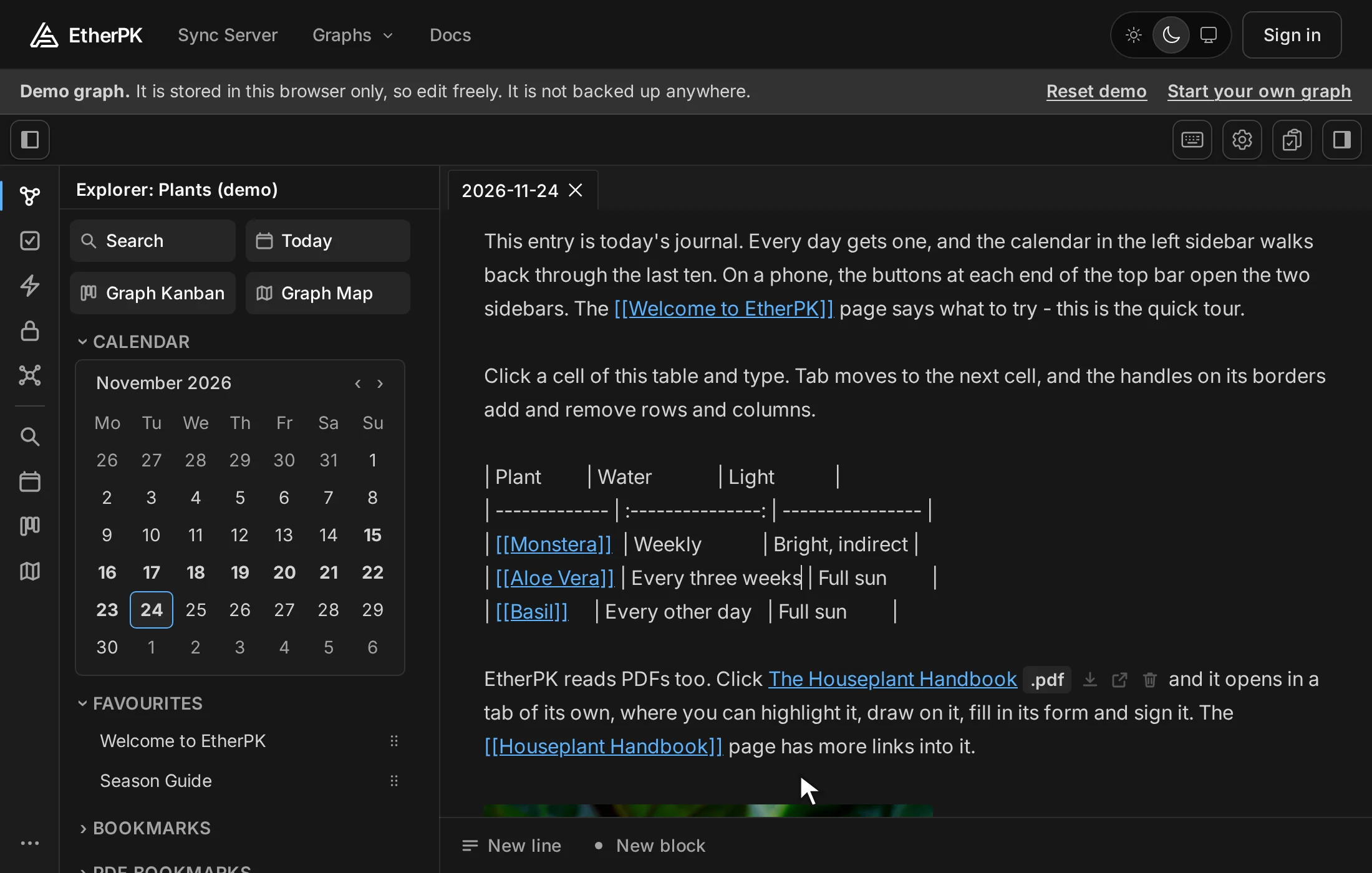
EtherPK lines the pipes up again when you add or remove a row or a column, or run Table: Format.
Delete table removes the whole table from the document and leaves the text around it. It doesn't ask first, because undo brings the table back. Undo is the document's own, so edits in cells and edits on lines undo in the order you made them.
On a phone, and with someone else
On a phone, tap a cell to edit it. The handles are larger there, and the bar above the keyboard has buttons to add and remove rows and columns.
On a synced graph, two people can work in the same table. When one of them adds a row or a column, EtherPK changes only the lines that differ, so the other person's cursor stays in the cell they were typing in.
There's more about each key and menu in the Tables docs.